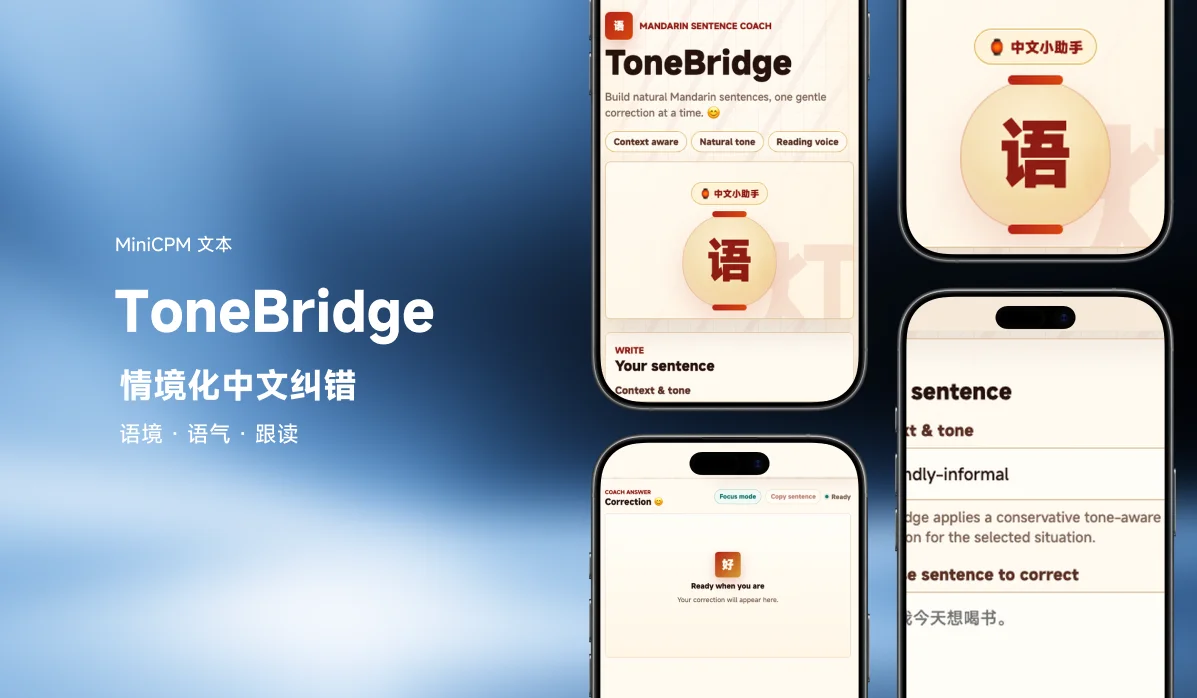
ToneBridge is a gentle Mandarin sentence coach that helps beginners build natural Chinese sentences, one small correction at a time. It was built for the Hugging Face Build Small Hackathon, around a fine-tuned correction model based on MiniCPM4.1-8B: Alphaplasti/ToneBridge-MiniCPM4.1-8B.
The problem
Beginner Mandarin learners often know what they want to say, but not whether the sentence sounds natural, polite, or appropriate for the social context.
Classic translators tend to rewrite too much. Grammar tools often explain too much. A beginner needs something narrower: keep my meaning, fix only what is needed, show the pinyin, and tell me why in plain English.
ToneBridge is built for that moment. You choose one context-tone profile, write or speak one Chinese sentence, and get a small, practical correction designed for learning rather than translation.
What it does
ToneBridge returns:
- one corrected Mandarin sentence;
- pinyin with tone marks under the Chinese text;
- a short error type;
- a concise explanation in English;
- a practical tip for next time;
- a natural Mandarin reading voice with a follow-along reading view.
The correction prompt is intentionally conservative: if the sentence is already correct and natural, the corrected sentence should remain unchanged.
How it works
- The learner selects one profile: Friendly-informal, Work-informal, Work-formal, Wechat-informal, or Wechat-formal.
- ToneBridge applies a conservative, tone-aware correction for that profile.
- The learner types a Chinese sentence, or uses browser speech recognition.
- MiniCPM corrects the sentence while preserving the learner's meaning and length.
- The frontend adds pinyin under the Chinese text.
- Edge TTS generates a fast Mandarin neural reading of the corrected sentence.
- The reading panel highlights characters while the audio plays.
What's inside
| Component | Model / Library | Where it runs |
|---|---|---|
| Sentence correction | Alphaplasti/ToneBridge-MiniCPM4.1-8B via transformers | ZeroGPU / GPU-backed Space |
| Mandarin reading voice | edge-tts with zh-CN-YunjianNeural by default | Server |
| Pinyin | pypinyin with tone marks | CPU |
| Voice input | Browser Web Speech API | Browser-dependent |
| Frontend | Custom HTML/CSS/JS served by gr.Server | Browser |
| Backend API | gr.Server + @app.api() endpoints | Hugging Face Space |
The active model pipeline stays under the 32B-parameter target: the main correction model is 8B, and the default reading voice uses a lightweight server-side Edge TTS call instead of loading a second GPU model.
Hardware and loading
ToneBridge is designed for Hugging Face ZeroGPU:
- The correction model is preloaded at Space startup so it is not reloaded on every correction.
- The reading voice uses Edge TTS by default, so replay avoids loading a heavy server-side TTS model.
- MiniCPM4.1 currently expects a Transformers 4.x runtime;
requirements.txtpinstransformers>=4.56.0,<5.0.0because Transformers 5 removed an internal helper still imported by the model's remote code.
Example environment variables:
MODEL_ID=Alphaplasti/ToneBridge-MiniCPM4.1-8B
TTS_PROVIDER=edge
EDGE_TTS_VOICE=zh-CN-YunjianNeural
LOAD_IN_4BIT=true
PRELOAD_MODEL=true
MAX_INPUT_CHARS=1200
MAX_NEW_TOKENS=220
Usage metrics and feedback
Every saved correction is written to tonebridge_usage_metrics.jsonl in the running Space app folder by default. Each record includes the original sentence, the corrected sentence, an evaluation (thumbs_up, thumbs_down, or null), generation time, plus status, context, tone, correction mode, error type, model id, timestamp, and request id.
The app shows thumbs-up / thumbs-down buttons after each correction, and votes update the matching JSONL record automatically. With repo sync enabled (METRICS_REPO_SYNC=true and an HF_METRICS_TOKEN with write access), the metrics file appears in the Space's Files tab — and if the Space is public, the synced metrics are public too.
Reachy Mini integration
The Settings panel can send each correction to a local Reachy Mini endpoint from the learner's browser. This is browser-side on purpose: a Hugging Face Space server usually cannot reach a private LAN IP such as 192.168.x.x. Default endpoint:
http://<REACHY_IP>:80/api/tonebridge
Payload shape:
{
  "source": "ToneBridge",
  "event": "correction",
  "status": "correct or corrected",
  "emotion": "happy or thinking",
  "speech": "encouragement or corrected Mandarin sentence",
  "speech_language": "fr-FR or zh-CN",
  "original_sentence": "...",
  "corrected_sentence": "...",
  "error_type": "...",
  "generation_time_seconds": 3.2
}
If the sentence is already correct, Reachy receives emotion: "happy" and a short encouraging French sentence. If ToneBridge made a correction, Reachy receives emotion: "thinking" and the corrected Mandarin sentence as the speech text. The local Reachy endpoint or bridge must allow browser POST requests from the Space origin (add CORS support or expose an HTTPS local endpoint).
Links
- Hugging Face Space: build-small-hackathon/Tone-Bridge
- Fine-tuned model: Alphaplasti/ToneBridge-MiniCPM4.1-8B
- Dataset: Alphaplasti/tonebridge-metrics
- Community blog: ToneBridge: Fine-Tuning a Small Mandarin Coach for Context-Aware Corrections
- Demo video: YouTube
- Social post: X
- Hackathon diary: #1, #2
Built by Alphaplasti and ZHAO JINGZI, on OpenBMB's MiniCPM4.1-8B base model.