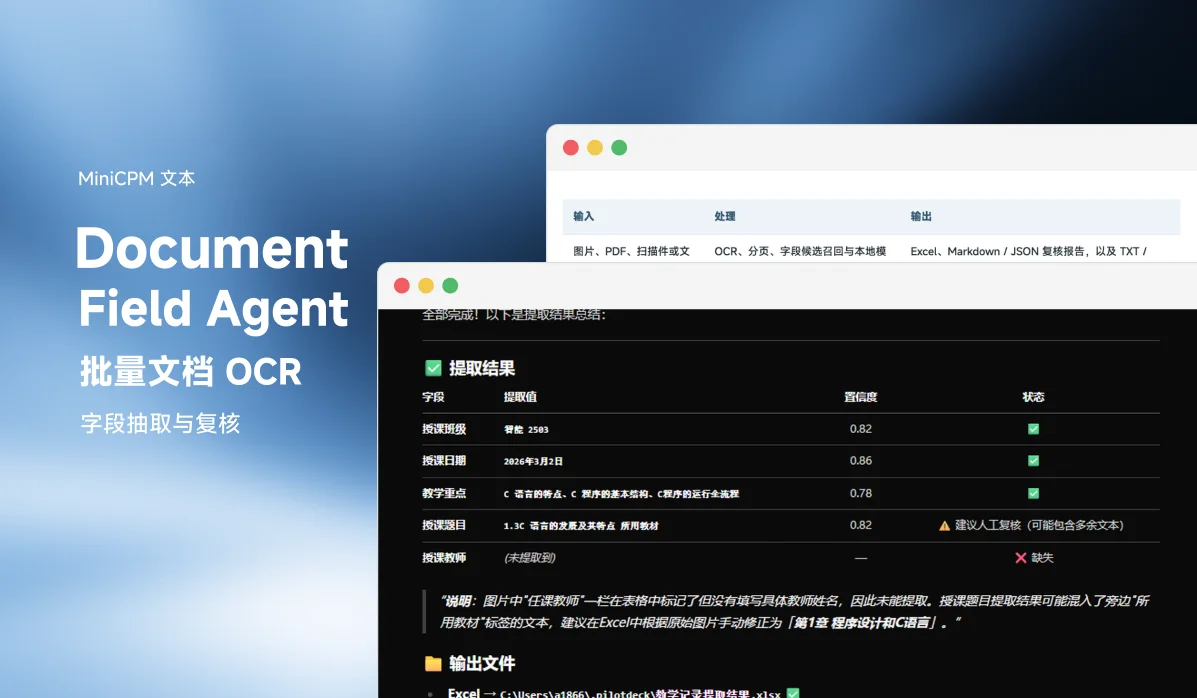
Document Field Agent turns local PDFs, images, and scans into reviewable field results and Excel sheets in batch. By default it runs OCR locally with PP-OCRv6 and lets MiniCPM5-1B adjudicate field values. It also exposes a standard MCP interface so any compatible agent can schedule tasks, export results, and generate review reports.
Highlights: verified on Windows · local-first · MCP stdio · Excel and review reports
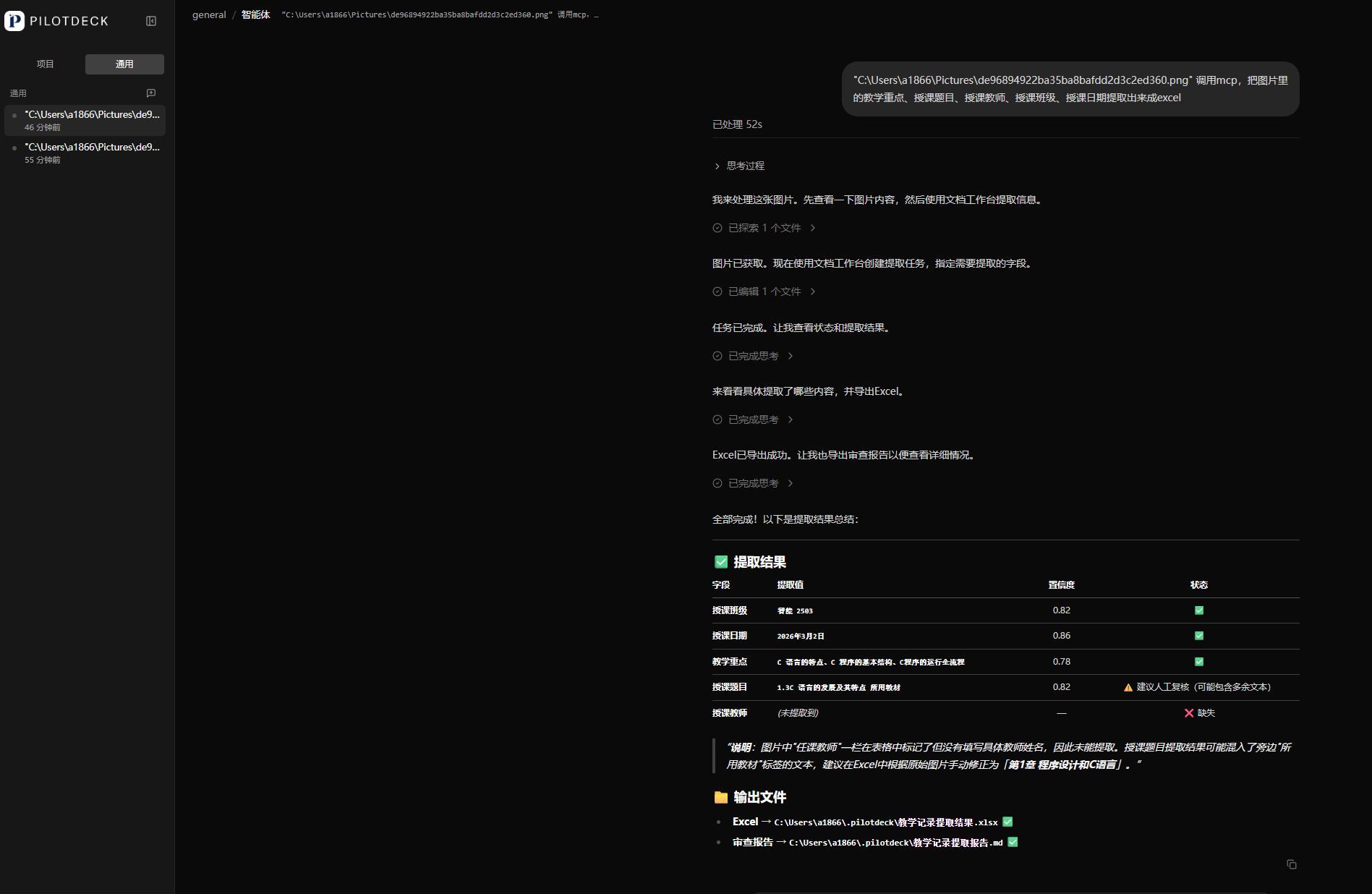
From files to reviewable results
| Input | Processing | Output |
|---|---|---|
| Images, PDFs, scans, or folders | OCR, pagination, field candidate recall, and local model adjudication | Excel, Markdown / JSON review reports, plus TXT / CSV / HTML |
It targets repetitive document work such as entering lesson plans, contract ledgers, form archiving, records management, and extracting information from receipts or certificates. Upload files, specify the fields, and you get structured results with one row per page and one column per field. Missing items and low-confidence fields are flagged for human review.
Key features
- Local document processing: PP-OCRv6 handles OCR by default; after OCR text, candidate recall, and layout judgment, MiniCPM5-1B adjudicates field values.
- Reviewable field results: results with confidence below
0.7are flagged for review instead of passing uncertain values off as final answers. - MCP as a generic interface: the MCP Server runs over stdio and drives the workbench through a local HTTP API; it is not tied to any particular agent client.
- Optional cloud mode: when higher-accuracy document parsing is needed, PaddleOCR-VL-1.6 and DashScope qwen-plus can be configured explicitly; local mode remains the default.
How it works
Local PDFs / images / folders
  -> PDF rendering and pagination
  -> PP-OCRv6 local OCR or optional cloud parsing
  -> Field candidate recall and layout judgment
  -> MiniCPM5-1B local field adjudication
  -> Confidence checks and human review
  -> Excel / Markdown / CSV / HTML / TXT
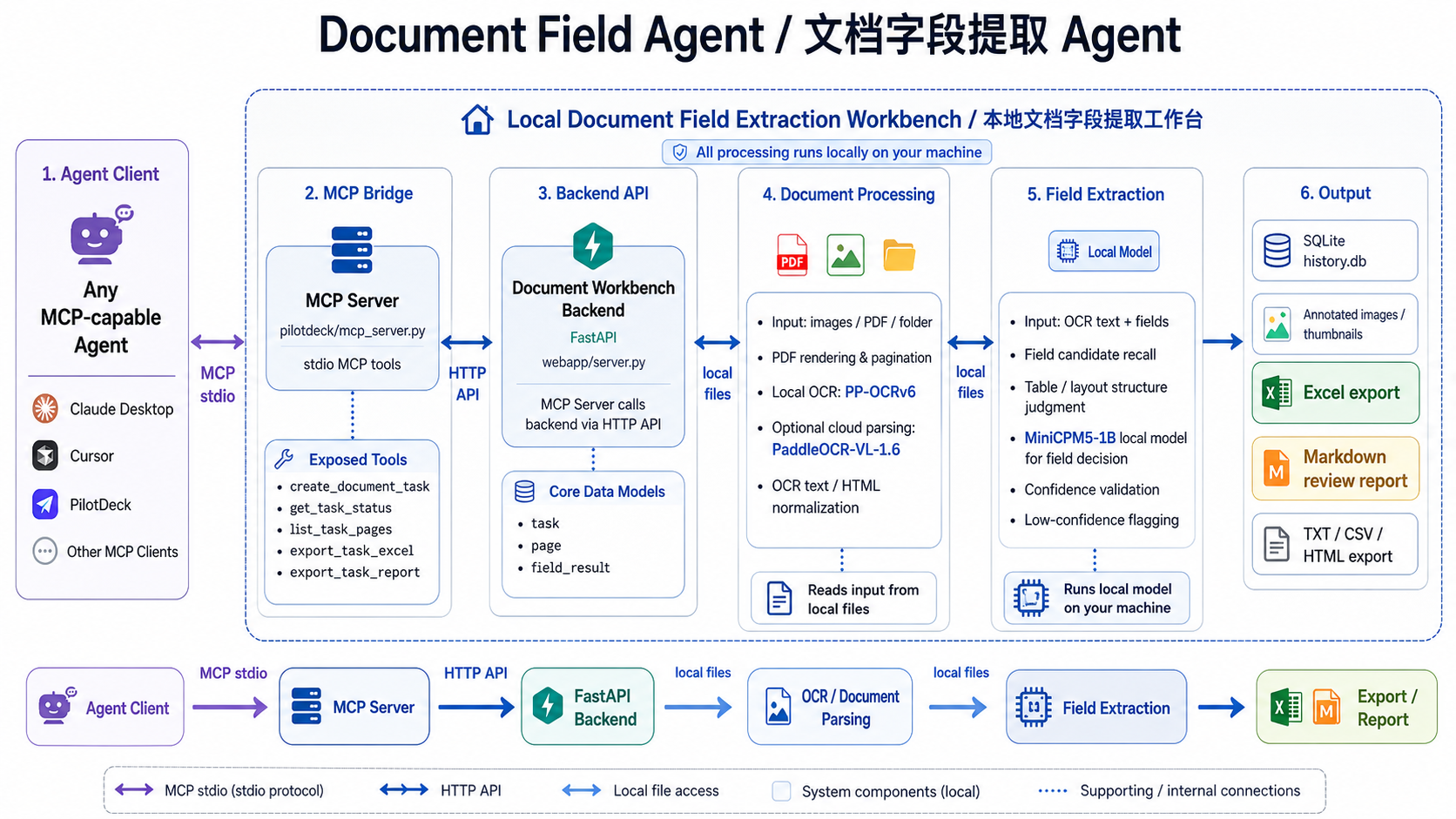
The MCP Server lives in pilotdeck/mcp_server.py and connects to http://127.0.0.1:8766 by default. It only calls the local workbench API; OCR, field extraction, and export are still done by the workbench.
Local field extraction uses the roughly 700 MB MiniCPM5-1B-Q4_K_M.gguf, served by a llama.cpp CPU sidecar (port 11435 by default, 4096 context, chatml template).
Quick start
-
Clone the repo, create a virtual environment, and install
requirements-webapp.txt. -
Download the local models:
Bashbash scripts/download_models.sh allpython scripts/setup_minicpm5_sidecar.pyThis fetches the PP-OCRv6 Tiny / Small / Medium ONNX models plus the MiniCPM5-1B GGUF and the llama.cpp sidecar.
-
Start the local field-extraction sidecar:
Bash./tools/llama/llama-server \-m ./models/minicpm5-1b-q4_k_m.gguf \--host 127.0.0.1 --port 11435 \-c 4096 -t 8 --chat-template chatml -
Start the workbench with
python webapp/server.pyand openhttp://127.0.0.1:8766in a browser.
Using the workbench
- Upload PDFs, images, or a folder on the home page.
- Enter the fields to extract — e.g. name, organization, course name, contract number, date, or amount — or upload an Excel template; the field names are read from the first row of the first sheet.
- Choose local or cloud mode and wait for the task to finish.
- On the results page, review the full OCR text, field results, missing items, and low-confidence hints.
- Export to Excel or another format and resolve pending items using the review report.
Connecting an MCP client
Keep the workbench running and register pilotdeck/mcp_server.py as a stdio server in your MCP client (pointing the DOC_WORKBENCH_URL environment variable at the workbench). You can confirm the tool list first with python pilotdeck/mcp_server.py --list-tools. An agent can then work in this order:
create_document_task: pass an explicit local file or folder path and the target fields.get_task_status: get task status, missing fields, and low-confidence fields.list_task_pages: call when page-level OCR and field evidence are needed.export_task_excel: export to Excel.export_task_report: export a Markdown or JSON review report.
mode="local" is the default for privacy-sensitive documents; use mode="cloud" only when cloud processing is explicitly needed.
API overview
| Endpoint | Description |
|---|---|
GET /health | Health check |
GET /info | Current model, configuration, and workbench info |
POST /tasks | Create a task from uploaded files |
GET /tasks | List past tasks |
GET /tasks/{id} | Task details |
GET /tasks/{id}/pages | Task pages |
GET /tasks/{id}/export?fmt=xlsx|txt|md|csv|html | Export task results |
POST /templates/fields | Read field names from an Excel template |
POST /agent/tasks/from-path | Create an agent task from a local path |
GET /agent/tasks/{id}/summary | Agent task summary |
GET /agent/tasks/{id}/report?fmt=md|json | Review report |
Operating boundaries
| Item | Current status |
|---|---|
| Windows | OCR, task processing, field extraction, Excel export, and MCP calls verified |
| macOS / Linux | FastAPI, ONNX Runtime, and llama.cpp should run, but startup scripts, model downloads, MCP calls, and the sidecar are not fully verified on real hardware |
| Local field extraction | Requires the ~700 MB MiniCPM5-1B GGUF model on a llama.cpp CPU sidecar |
Relies on pypdfium2 for rendering and pagination |
Acknowledgements
The project is a derivative of andyhuo520/ppocrv6-studio, with thanks to PaddleOCR, ONNX Runtime, llama.cpp, OpenBMB MiniCPM, and FastAPI.
Links
- GitHub: BHD110/document-field-agent