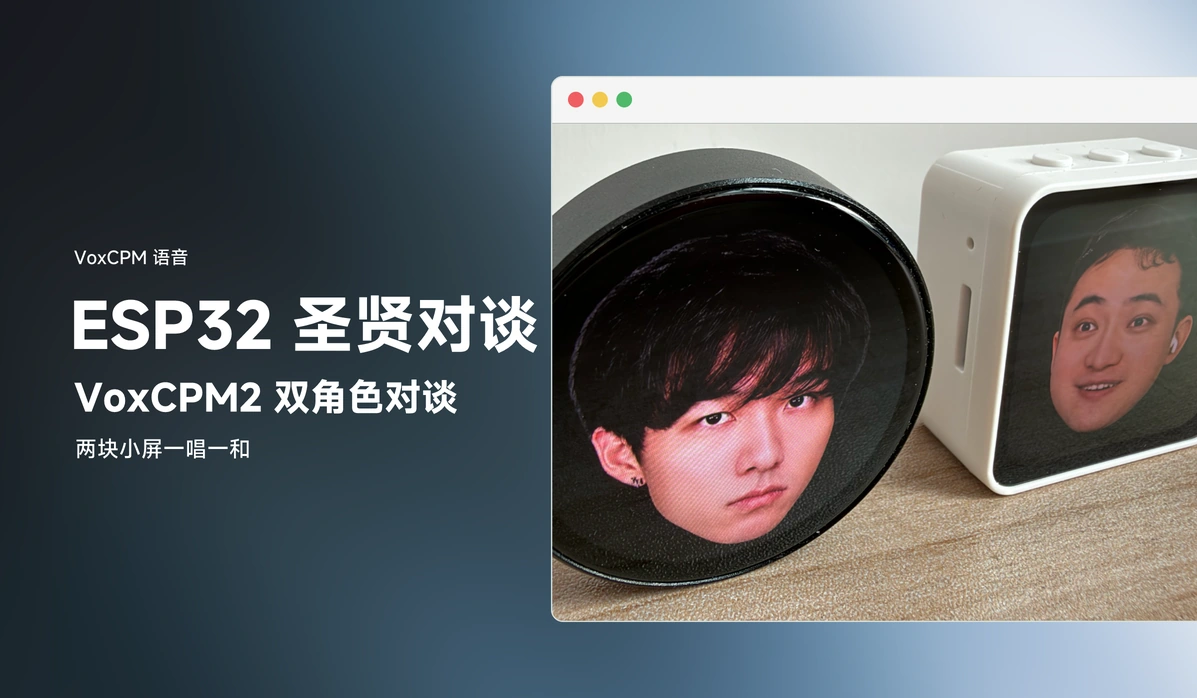
Two small ESP32-S3 AMOLED boards, one playing "Allen" and one playing "Brother Sun", take turns talking on your desk.
Press PWR or BOOT and Allen makes a point; Brother Sun immediately answers "So true!" and Allen moves on to the next line. Whoever is speaking gets a soft glow and a bouncing avatar, and the animation stops as soon as the audio ends.
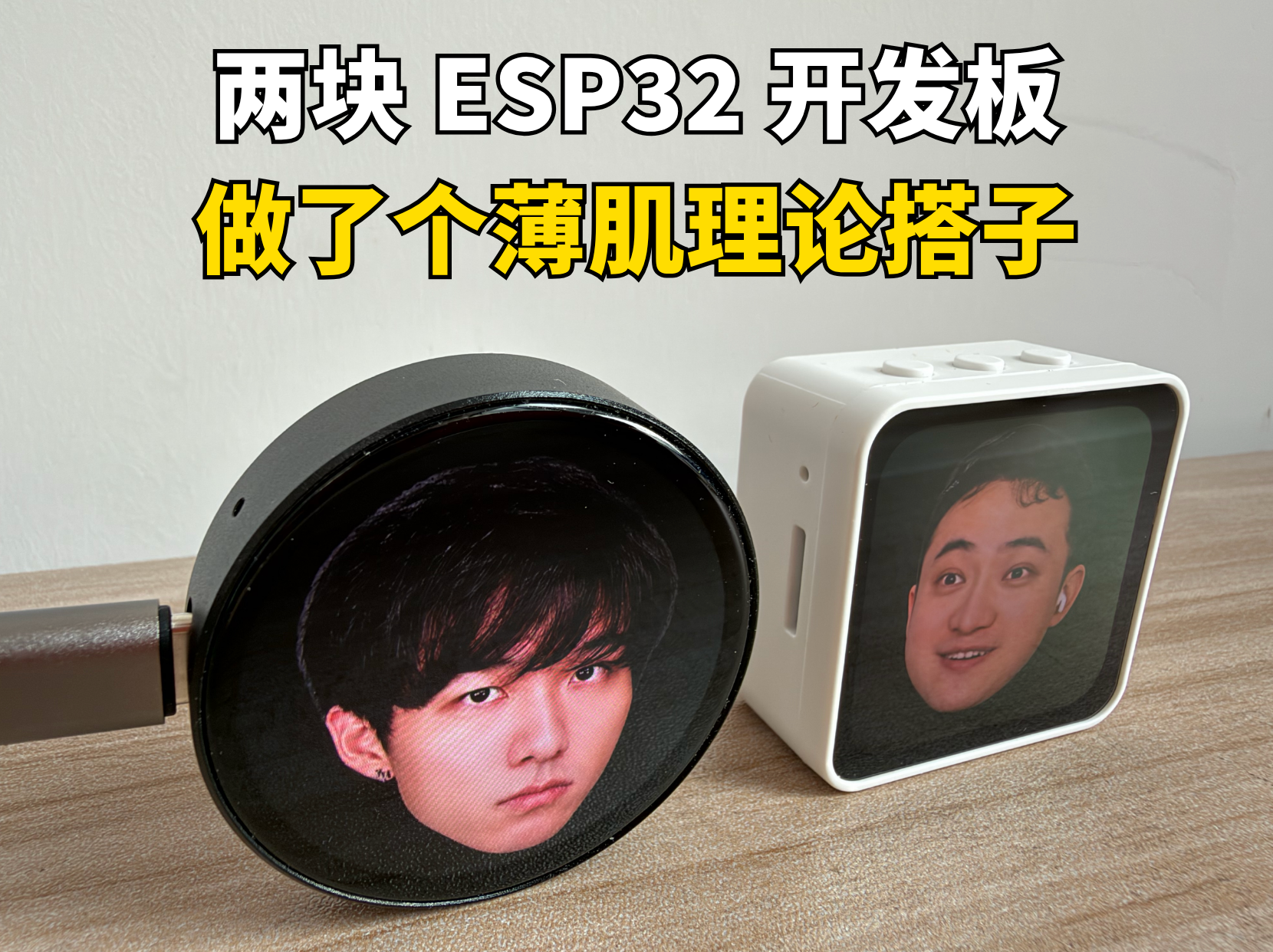
Both characters' voices are generated in advance with VoxCPM2, compressed and embedded in each board's firmware. The ESP32 boards only play audio locally; no model inference runs on them.
Highlights
- Two-board dialogue: Allen's board tells Brother Sun's board to play over ESP-NOW, and control returns when he finishes.
- Local audio: lines are pre-generated and embedded in firmware, so playback never waits for online TTS.
- Content: Allen currently cycles through 10 lines; Brother Sun has 23 variations of "So true!".
- Two screen shapes: a round glow on the 1.75-inch round screen, a rounded-square glow on the 2.16-inch square screen.
- Playback tuning: IMA ADPCM compression, correct mono-to-stereo duplication, prefetching the next pair, and a 250 ms gap between lines.
- No subtitles: just characters, animation and sound.
Turn-taking Flow
Button press
  → Allen's board plays a local line
  → audio ends; animation and glow stop
  → wait 250 ms
  → Allen's board notifies Brother Sun's board via ESP-NOW
  → Brother Sun's board plays a local "So true!"
  → Brother Sun's board sends back "done"
  → Allen's board continues with the next line
| Role | Hardware | Job |
|---|---|---|
| Allen | Waveshare ESP32-S3-Touch-AMOLED-1.75 | Plays Allen's lines and controls the order |
| Brother Sun | Waveshare ESP32-S3-Touch-AMOLED-2.16 | Plays "So true!" on ESP-NOW notification |
The backend on the computer only manages the session and line order; the VoxCPM2 key is mainly used when regenerating voices.
Build and Flash
You need ESP-IDF 5.5.x, Python 3.11 or 3.12 and uv, plus ffmpeg if you reprocess audio or images.
# Backend
cd backend
cp .env.example .env   # set MODELBEST_API_KEY if needed, MODELBEST_MODEL=VoxCPM2
uv sync
uv run uvicorn app.main:app --host 0.0.0.0 --port 8000
For each board, run idf.py menuconfig in firmware (Allen) or firmware_sun (Brother Sun) and fill in Wi-Fi, the backend URL, the other board's MAC address and the ESP-NOW channel (it must match your router's channel). Then build and flash:
source /path/to/esp-idf/export.sh
cd firmware && idf.py build && idf.py -p /dev/cu.usbmodemXXXX flash monitor
cd firmware_sun && idf.py build && idf.py -p /dev/cu.usbmodemYYYY flash monitor
With both boards running, press PWR or BOOT on Allen's board to start and again to stop.
To change the lines, Allen's text is in assets/personas/shaolan/classic_quotes.json, and audio lives under each firmware's main/ folder. If you change the number or order, keep the audio file numbers, the classic_*_audio.cpp playlists and EMBED_FILES in CMakeLists.txt in sync.
Copyright
Original code is MIT licensed. The avatars, reference voices and related character content are not covered by MIT; see NOTICE.md in each persona folder. This is an unofficial fan project and does not claim authorization from the people it portrays.
Links
- GitHub: emwstudio/esp32-sage-duet
- Demo videos: Douyin · Instagram