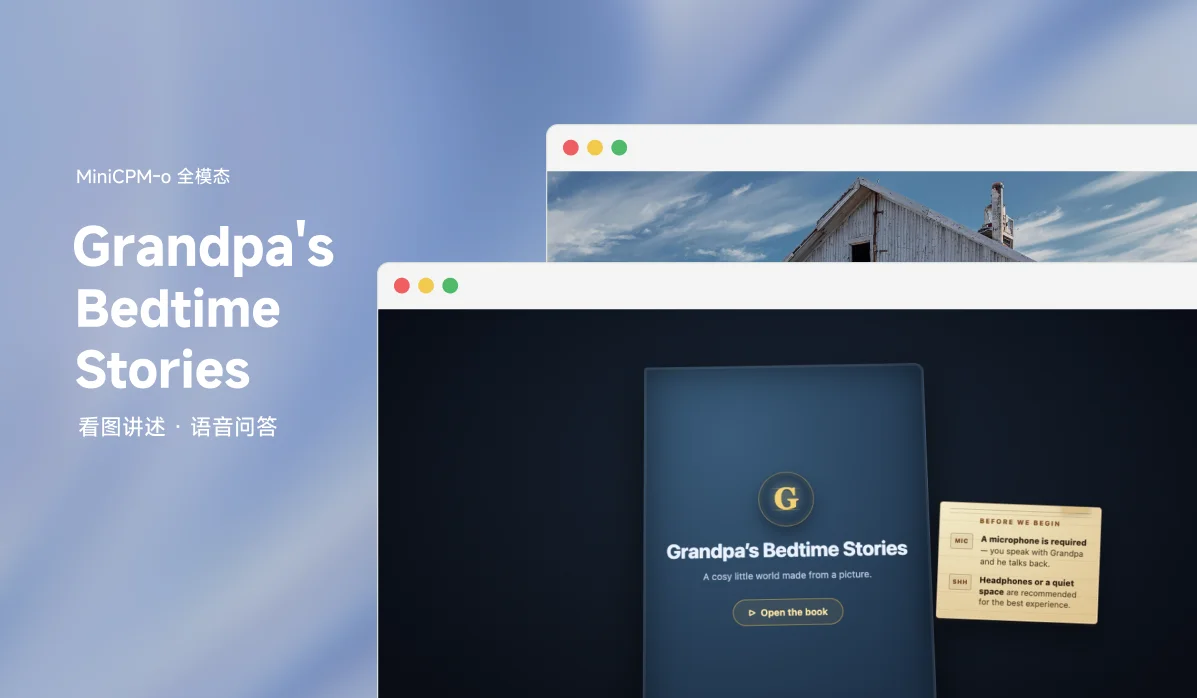
Ever wanted an imaginary grandpa with a British accent to tell you a story from a still picture that turns into an AR fantasy? Grandpa's Bedtime Stories is a WebXR bedtime storybook built for the Build Small Hackathon (Thousand-Token Wood track), with MiniCPM-o 4.5 as its core storytelling model.
How it works
Choose a photo from the photo book, or create your own, and ask questions about anything you can find — Grandpa will give you his insights. What a person is wearing, what is going on, what country he thinks it is: the limit is your imagination.
- Demo video: YouTube
- Social post: Reddit r/OculusQuest
Requirements
- A microphone is required — you speak with Grandpa and he talks back.
- Headphones or a quiet space are recommended so Grandpa's voice doesn't re-trigger the microphone.
- An HTTPS connection (or localhost) is required for microphone and WebXR access.
Adding your own pictures
Hit the + slot at the end of the picture book to upload a photo from your device. Grandpa will auto-caption it — you can edit the caption before saving. The photo is then converted into a full 3D Gaussian splat (this takes a minute or two, longer on the first run while the engine warms up on Modal) and added to your personal picture book. Photos up to 20 MB / 40 MP are supported; captions up to 400 characters.
Running locally
pip install -r requirements.txt
# Deploy the Modal GPU endpoints first (only needed once, or after changes):
modal deploy modal_sharp.py
modal deploy modal_minicpmo.py
modal deploy modal_app.py
# Copy .env.example to .env and fill in your Modal API keys and endpoint URLs.
# Then start the Gradio server:
python app.py
# Open http://localhost:7860 in your browser.
Controls
Desktop and mobile browser
| Input | Action |
|---|---|
| Drag | Orbit — look around the scene |
| Scroll wheel | Zoom in & out |
| Two-finger pinch | Zoom in & out (trackpad / touchscreen) |
| Tap / click | Quick-select an area |
| Double-click + drag | Draw a custom selection box |
AR — headset (Meta Quest / Pico)
| Input | Action |
|---|---|
| Trigger | Aim controller & pull to draw a selection box |
| Grip | Hold & move to slide the picture |
| Grip × 2 | Two hands to pinch-zoom |
| Thumbstick | Push forward / back to zoom |
| HUD (lower left) | Back · Clear selection · Reset view |
Hand tracking also works: pinch replaces the trigger, and a closed fist replaces the grip.
AR — phone (Android)
| Input | Action |
|---|---|
| Single finger drag | Draw a selection box |
| Tap | Quick-select an area |
| Two-finger touch | Pinch to zoom · swipe to pan |
Talking to Grandpa
Hit Start listening, then speak your question out loud — Grandpa will answer in voice. You can tap or draw a box around part of the picture first to focus his attention on a particular area.
AR capabilities and supported devices
AR works on WebXR-capable devices: Meta Quest headsets in Meta Quest Browser, Pico headsets in Pico Browser, and ARCore-supported Android phones opened in Chrome with Google Play Services for AR installed. iPhone and iPad Safari do not support WebXR AR, though experimental WebXR browsers such as Mozilla's WebXR Viewer may work. If AR is unavailable, the same picture can still be explored in the desktop/mobile browser viewer.
Models and stack
OpenBMB MiniCPM-o 4.5
The core storytelling model is OpenBMB's MiniCPM-o 4.5, a small 9B-parameter but extremely powerful omni model. It runs the live voice loop: the image plus the user's speech go in, and Grandpa's answer comes back as text and speech seamlessly, without needing any other models or endpoints (off the grid!). MiniCPM-o is also used for visual grounding, identifying visible people and objects to focus on. Its support for bounding boxes is essential to the app — everything that was envisioned fits in one model.
Apple Sharp
The 3D reconstruction model is Apple's Sharp model, a roughly 1B-parameter feed-forward model that turns a photo into a .ply Gaussian splat, from which a .rad LoD scene is built so the picture becomes a quickly explorable 3D space on desktop and in AR.
Modal
Modal is essential to the app, both for running everything and for several iterations of testing models to see what worked well (the unused folder in the Space is kept as a record of that effort). Hugging Face serves the Gradio/FastAPI viewer, but the heavy model work runs on Modal GPU endpoints: MiniCPM-o on an A100-class backend for voice, reasoning, and grounding, and SHARP on a lighter GPU backend for photo-to-splat generation. Modal lets the Space stay responsive while still using models far beyond what the browser or a basic Space CPU could run directly.
Libraries
The app is mainly built with Gradio (gr.Serve) on the server, using Spark, three.js and native WebXR for the visuals, and vad-web for speech detection.
Links
- Hugging Face Space: build-small-hackathon/grandpas-bedtime-stories
- Demo video: YouTube
Built by Tyress, powered by MiniCPM-o 4.5, Apple Sharp and Modal. Released under the Apache-2.0 license.