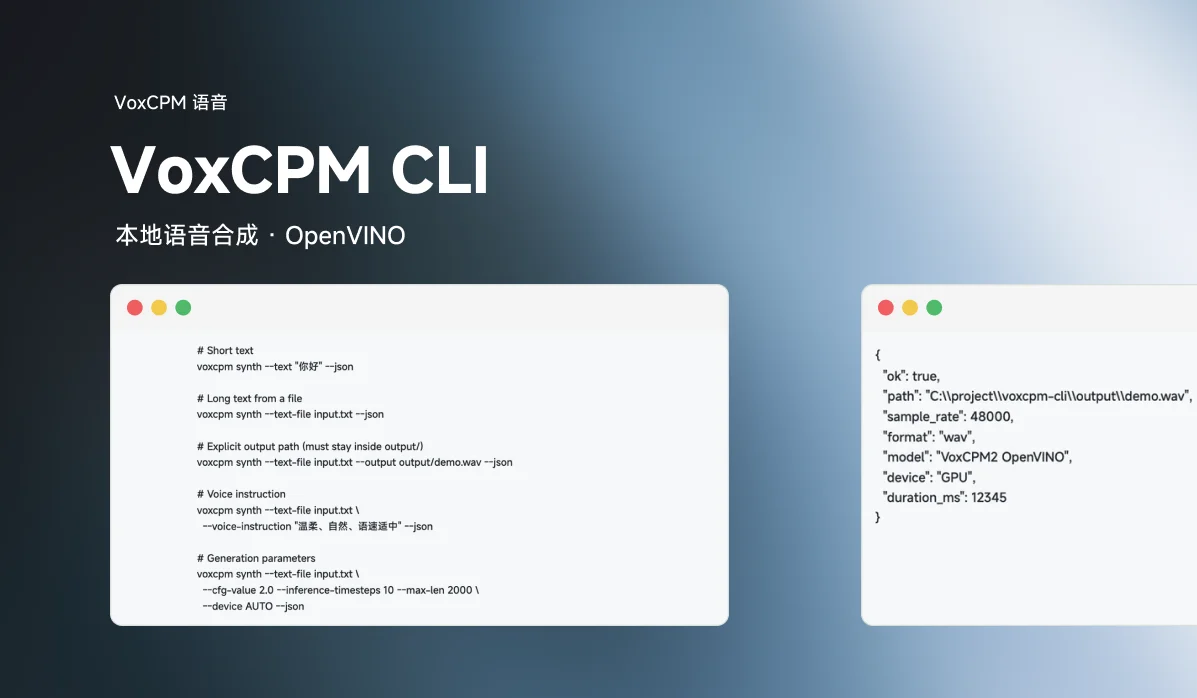
VoxCPM CLI is a slim local command-line tool for VoxCPM2 text-to-speech, running entirely on your machine through OpenVINO — no server, no PyTorch required at runtime. It ships a JSON-first CLI, machine-friendly exit codes, and an agent Skill, so it works equally well from a terminal, a script, or an LLM agent.
Why
- Local & private — speech is generated on your machine; nothing is sent to a third-party API.
- Agent-friendly — every command emits structured JSON on stdout and human logs on stderr, with meaningful exit codes.
- Inference without PyTorch — the model is converted to OpenVINO IR, so synthesis runs on a lightweight OpenVINO runtime (CPU or GPU) instead of a full PyTorch stack.
- Slim repo — model weights and converted artifacts are not stored in git;
preparedownloads and converts them explicitly when you approve.
How it works
┌────────────┐  download/convert  ┌───────────────────────┐
│ HF + GitHub ──────────────────► │ cache/  models/       │
└────────────┘                     │ (gitignored artifacts)│
                                   └───────────┬───────────┘
                                               │
                          voxcpm              │ synth
                                               ▼
                                   ┌───────────────────────┐
                                   │ OpenVINO pipeline      │
                                   │ (no PyTorch at runtime)│
                                   └───────────┬───────────┘
                                               ▼
                                   output/*.wav  +  JSON result
prepare downloads the upstream VoxCPM source and VoxCPM2 weights, then converts them into OpenVINO IR. synth loads the IR artifacts with OpenVINO and writes a 48 kHz WAV to output/.
Requirements
| Item | Requirement |
|---|---|
| OS | Windows |
| Python | 3.10, 3.11, or 3.12 |
| Network | First prepare run only (model download + source download) |
| Disk | Enough for upstream source, original weights, and OpenVINO IR |
Runtime dependencies (declared in pyproject.toml): huggingface-hub, librosa, numpy, openvino, soundfile, tokenizers.
Conversion-only extras, needed when running prepare from a slim checkout: nncf, safetensors, torch>=2.5.0, transformers>=4.36.2.
Installation
From the project root:
python -m pip install -e .
To also be able to download and convert the model locally:
python -m pip install -e ".[convert]"
Quick start
# 1. Check whether models and OpenVINO are ready (never downloads anything)
voxcpm status --json

# 2. If not ready, download & convert (network + disk use — approve first)
voxcpm prepare --json

# 3. Synthesize
voxcpm synth --text "你好" --json
pip install registers the voxcpm console script; python -m voxcpm_cli also works when the package is on the path.
CLI reference
All commands accept --json for JSON output on stdout. Progress and logs go to stderr, so stdout stays machine-parseable.
status
Report whether the expected artifacts exist and which OpenVINO device would be used:
voxcpm status --json
Expected directories:
cache/source/VoxCPM/
models/original/VoxCPM2/
models/openvino/VoxCPM2/
prepare
Download the upstream source, the VoxCPM2 weights (Hugging Face), and convert them into OpenVINO IR under models/openvino/VoxCPM2/:
voxcpm prepare --json
Useful options:
voxcpm prepare --json --device AUTO
voxcpm prepare --json --force-convert
voxcpm prepare --json \
  --model-dir models/original/VoxCPM2 \
  --ov-model-dir models/openvino/VoxCPM2
synth
Generate a WAV file. Provide exactly one of --text or --text-file:
# Short text
voxcpm synth --text "你好" --json

# Long text from a file
voxcpm synth --text-file input.txt --json

# Explicit output path (must stay inside output/)
voxcpm synth --text-file input.txt --output output/demo.wav --json

# Voice instruction
voxcpm synth --text-file input.txt \
  --voice-instruction "温柔、自然、语速适中" --json

# Generation parameters
voxcpm synth --text-file input.txt \
  --cfg-value 2.0 --inference-timesteps 10 --max-len 2000 \
  --device AUTO --json
On success, stdout is JSON:
{
  "ok": true,
  "path": "C:\\project\\voxcpm-cli\\output\\demo.wav",
  "sample_rate": 48000,
  "format": "wav",
  "model": "VoxCPM2 OpenVINO",
  "device": "GPU",
  "duration_ms": 12345
}
--version
voxcpm --version
Error handling
Failures are JSON too, and each maps to a process exit code:
{
  "ok": false,
  "error": { "code": "MODEL_NOT_READY", "message": "Run prepare before synth." }
}
| Exit code | Meaning |
|---|---|
0 | success |
1 | validation error |
2 | model prepare/load error |
3 | synthesis error |
4 | file write error |
Common error codes:
NO_TEXT_INPUTINVALID_ARGUMENTINVALID_OUTPUT_PATHMODEL_NOT_READYVOXCPM_SOURCE_DOWNLOAD_FAILEDMODEL_DOWNLOAD_FAILEDMODEL_CONVERSION_FAILEDMODEL_LOAD_FAILEDOPENVINO_DEVICE_UNAVAILABLETTS_GENERATION_FAILEDAUDIO_WRITE_FAILED
Using an agent
The repo includes an agent Skill in skills/voxcpm-tts/SKILL.md. The workflow it describes:
- Run
voxcpm status --json. - If not ready, ask the user before running
voxcpm prepare --json. - Write long text to a temporary
.txtfile. - Run
voxcpm synth --text-file <file> --json. - Return the WAV path, sample rate, and format.
Rules: use the local CLI (never a server); do not expose sensitive text in final replies; do not download or convert models without explicit approval.
Project structure
voxcpm-cli/
├── pyproject.toml            # Package + dependencies (and the convert extra)
├── LICENSE                   # Apache-2.0
├── assets/logo.svg           # README header logo
├── README.md
├── voxcpm_cli/
│   ├── __main__.py          # voxcpm entry
│   ├── cli.py               # argparse + JSON output, exit codes
│   ├── engine.py            # status / prepare / synthesize orchestration
│   ├── paths.py             # Artifact & output-path resolution
│   └── voxcpm2_tts_helper.py# Conversion + OpenVINO inference pipeline
├── skills/voxcpm-tts/       # Agent Skill instructions
├── cache/                   # Downloaded upstream source (gitignored)
├── models/original/         # Downloaded weights (gitignored)
├── models/openvino/         # Converted OpenVINO IR (gitignored)
└── output/                  # Generated WAVs (gitignored)
Licensed under Apache-2.0.
Links
- GitHub: wuhaostudio/voxcpm-cli
- Agent Skill: skills/voxcpm-tts/SKILL.md
- Author: wuhaostudio