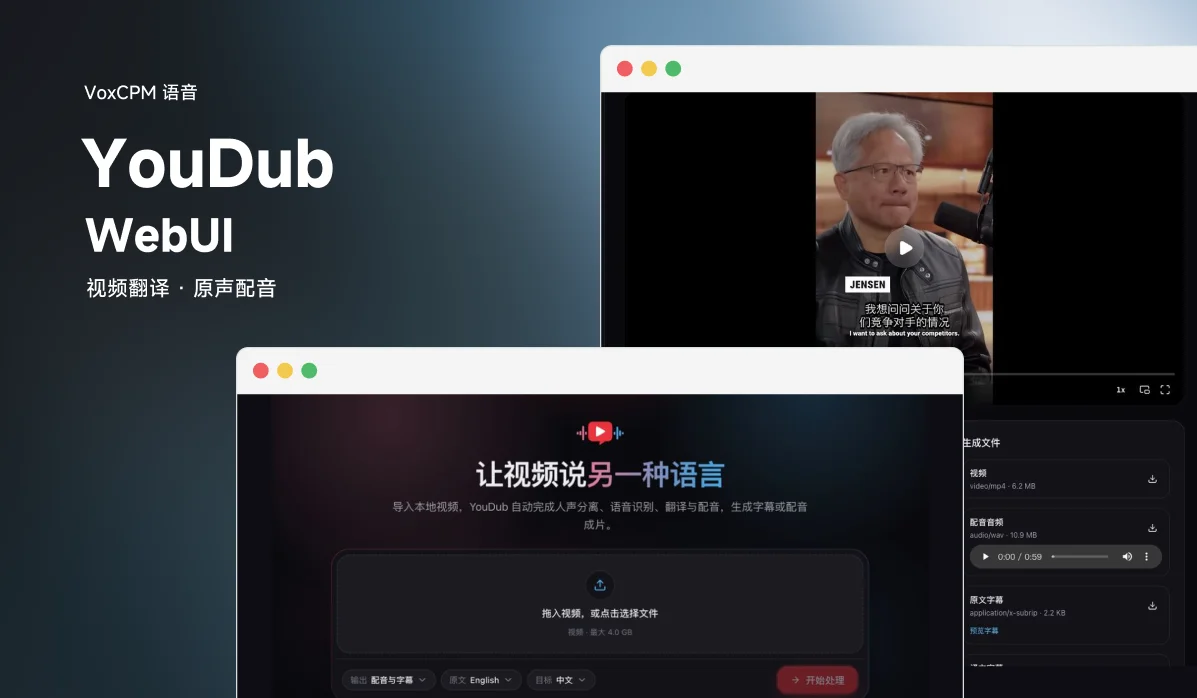
YouDub Desktop is an open-source video localization workspace: import a video, transcribe and translate its speech, clone each sentence from its source audio, and produce subtitles and dubbed video. The project's built-in model manifest uses VoxCPM2 for voice cloning.
Demo
The default demo is the Jensen Huang interview generated on 2026-10-09: sentence-level voice cloning, Chinese subtitles and preserved background audio, approximately 59 seconds long. Source links identify the original videos; the workspace accepts video links and local files.
| Sample | Original English | Chinese dubbed |
|---|---|---|
| Jensen Huang interview · Latest result (YouTube Shorts, English → Chinese) | Watch | Watch |
| Earlier sample: How much YT paid me for 129 million shorts views (long-form landscape video, first 40 seconds) | Watch | Watch |
The full version of the earlier sample is available in the demo-assets release. A third sample, Me at the zoo (English → Chinese, 19 seconds), can be played on the website, where you can switch between English and Chinese.
Features
| Output mode | Result |
|---|---|
| Original audio + subtitles | Preserve the original audio and burn target-language subtitles into the video |
| Dubbing | Generate target-language speech, optionally retaining separated background audio |
| Subtitles + dubbing | Produce a dubbed video with subtitles and optional forced alignment |
- Sentence-level voice cloning. Each translated sentence uses the corresponding source sentence's audio as its reference, preserving a one-to-one mapping.
- Subtitle display. Split display cues at commas, Chinese enumeration commas and dashes, merge very short cues, and hide trailing separator punctuation.
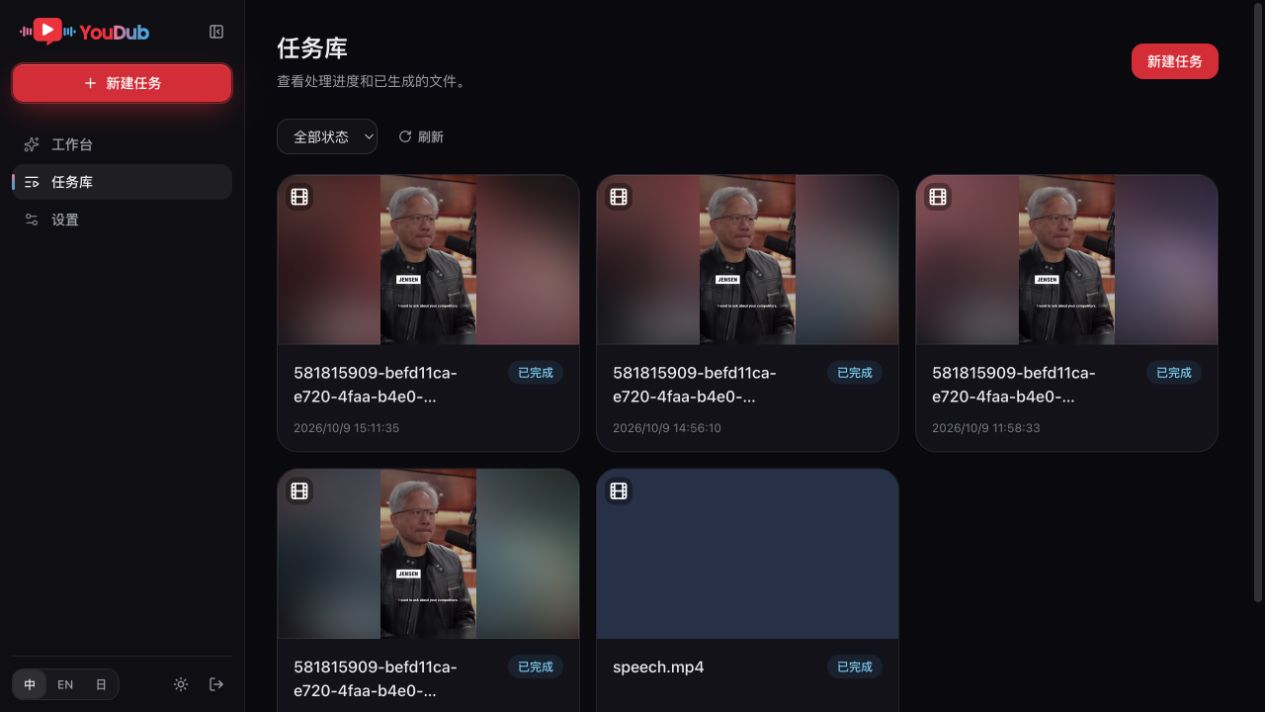
- Task management. View covers, step progress, errors and artifacts; cancel, retry, rerun, play or download results.
The workspace lets you choose a video and workflow, then adjust the quick settings declared by its nodes. Languages, models, devices, voices and subtitle options belong to workflow nodes. Settings manages model providers, the local environment and model installation.
Voice Cloning with VoxCPM2
The README does not describe the TTS model separately. The repository's model manifest packages/builtin/src/setup-models.json registers VoxCPM2 as the voice cloning model, downloaded from Hugging Face openbmb/VoxCPM2 (mirrored on ModelScope as OpenBMB/VoxCPM2) into the voxcpm/VoxCPM2 directory. The location can be overridden with the YOUDUB_VOXCPM_MODEL_DIR environment variable.
Interface Preview
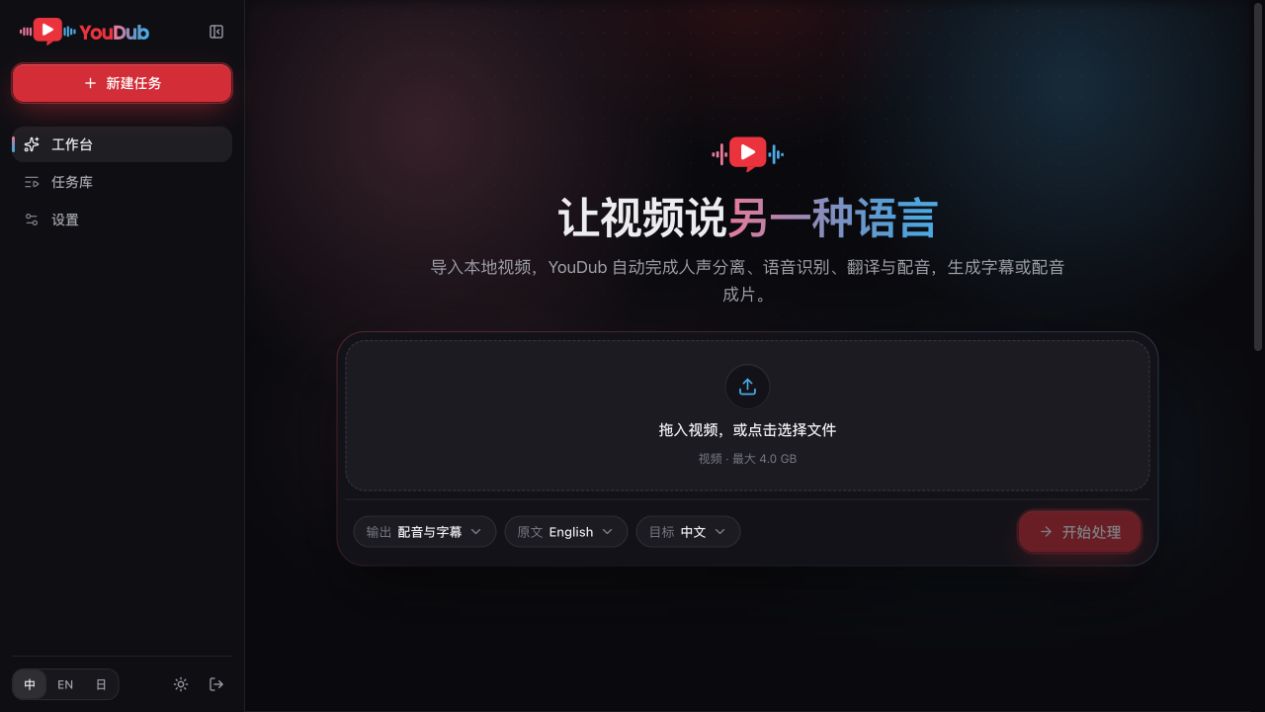
The workspace: import a video and choose languages and output mode. Screenshots show the current Chinese interface.
Task library: video covers, processing status and previous tasks.
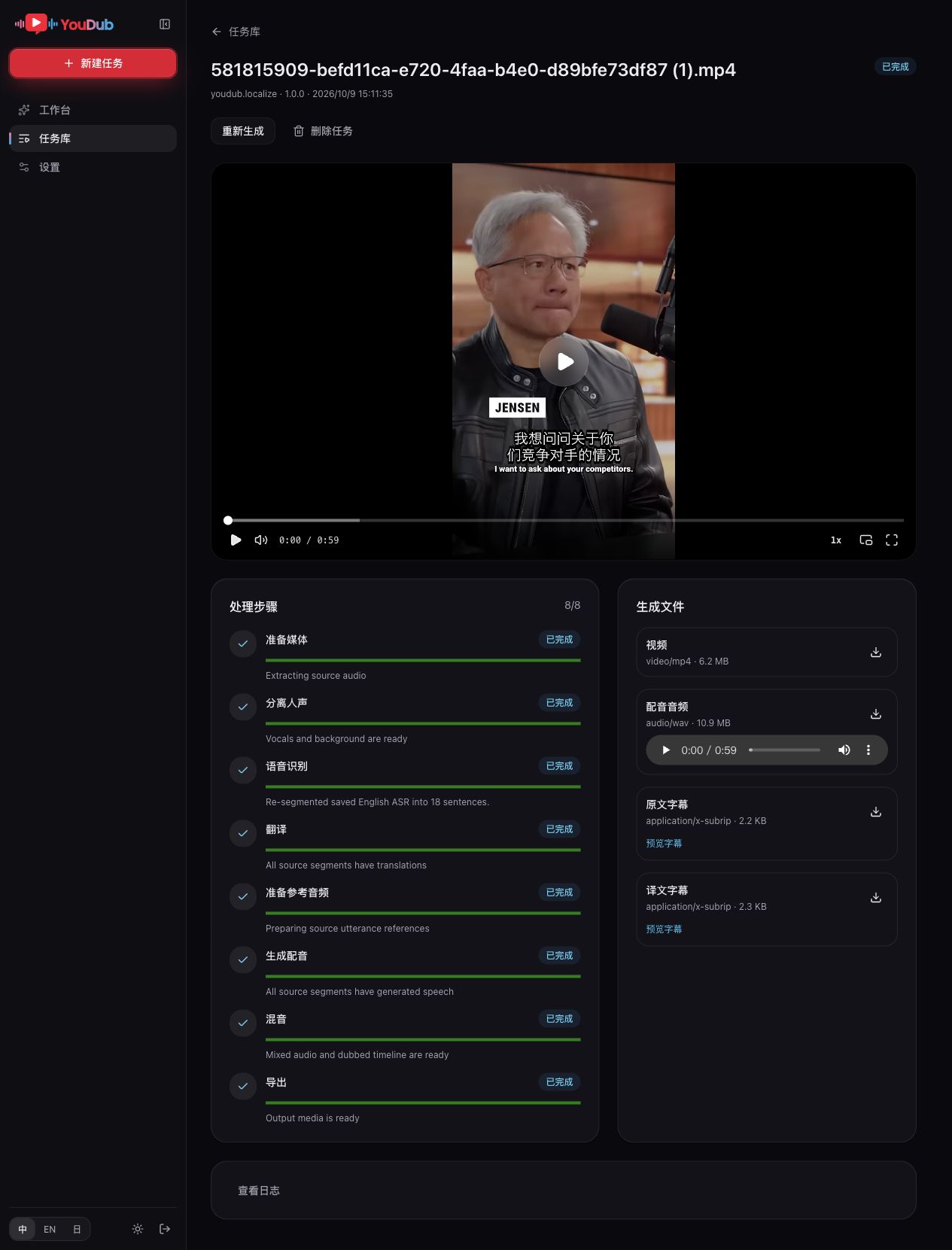
Task details: preview the video, inspect processing steps, and download dubbed audio and subtitles.
Download and Use
Windows EXE installer · macOS DMG · Release notes and portable package
First startup prepares the base runtime. Models and inference dependencies are prepared for the selected workflow. See the installation guide for requirements and upgrade instructions.
- Add a provider, API key and translation model during first setup or in Settings → Models.
- Import a video in the workspace, choose a workflow and adjust its node options, then prepare the required resources and create a task.
- In the task library, follow progress and play or download the result.
Run from Source
YouDub uses the DeepSeek Harness backend and frontend framework with Electron, retaining its video workflows and business UI. Start with the developer documentation, architecture, and local development guide (in Chinese).
Use Node.js ^22.19.0 || >=24.0.0, npm, Git and your platform's build tools. Initialize submodules when cloning, then run these commands from the repository root:
npm ci --registry=https://registry.npmmirror.com
npm --prefix apps/web ci --registry=https://registry.npmmirror.com
npm --prefix apps/harness ci --registry=https://registry.npmmirror.com
npm run build:framework
npm run build:youdub
npm start
npm run package:desktop -- --dir creates the standalone Electron app. See release packaging for signing, notarization and installers.
On first launch, select the interface language and data directory, prepare runtime resources and configure a translation model through the UI. The application uses its own Python environment, models and configuration. Translation models must accept at least 65,535 output tokens; incompatible endpoints report an error. Base environment readiness and workflow resource readiness are shown separately.
Everything is a plugin
YouDub Desktop composes its backend and frontend with Harness's Cordis runtime. Electron windows, Host lifecycle, Connection, model configuration, LLM, Subprocess, Jobs and plugin management reuse Harness. YouDub tasks, workflows, subtitles, dubbing, resources and business pages run as plugins.
YouDub Electron → Harness Desktop Host ← Official Connection ← YouDub pages
                         ↓
                 YouDub workflow and task plugins
                         ↓
             Harness LLM / Subprocess / Jobs
                         ↓
              Translation / Python media processing
The frontend uses Harness Renderer, Slots, Layout, Store, themes, locales and shared controls with YouDub's business components, React Flow canvas and animated home screen. Plugins are managed in the application's Extensions page; Harness PluginManager handles installation, enabling, disabling and removal. A public YouDub plugin marketplace is not currently available.
Current Scope
- English sentence boundaries. After Whisper recognition, NLTK Punkt forms complete sentences and word timestamps locate their source audio. Raw recognition results are retained.
- The default workflow accepts local
mp4,mov,mkvandwebmvideos. Default limits are 4 GiB, 10 minutes, 1920 pixels for each dimension, and 60 fps. - The language catalog contains English, Chinese and Japanese; support depends on the provider. Optional Qwen alignment supports English and Chinese.
- Node workflows support branches, joins and manual corrections, with one execution slot. Waiting for manual confirmation releases that slot. Plugin changes apply after restart.
- Local workflow, Client and Python plugins have been validated. Installation from remote GitHub/npm sources has not yet been validated.
- Current product APIs use
/api/v2and support rerunning from a selected step. Video URL downloads support single-video YouTube, Shorts, Bilibili and b23.tv links through yt-dlp, Node.js and FFmpeg, with the same duration and file-size limits.
Development and Tests
npm run typecheck
npm test
npm run test:backend
npm --prefix apps/web test
npm run lint:web
npm run build:youdub
npm --prefix apps/harness test
License
This project is licensed under Apache License 2.0.
Links
- GitHub repository: liuzhao1225/YouDub-webui
- China mirror: AtomGit
- Website and demos: liuzhao1225.github.io/YouDub-webui
- Community: QQ group
618246010 - Creator: Zhao Liu · GitHub · Bilibili 黑纹白斑马
Thanks to Zhao Liu for open-sourcing YouDub and bringing VoxCPM2 to video localization.