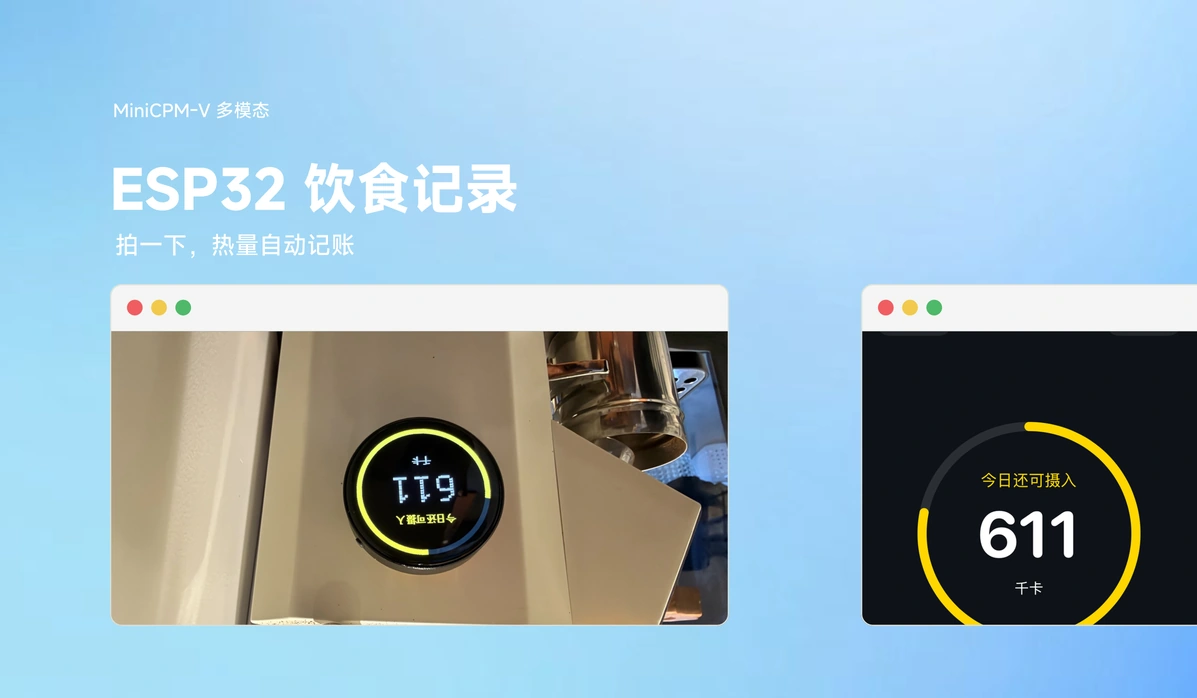
Take a photo or pick one from your album, and the app identifies the food, estimates its calories and syncs today's intake to a round ESP32 screen. The author mounted the screen on a coffee machine, where a ring and colour show how far into the daily budget you are.
The app measures first and lets you decide afterwards: add the result to today's intake, measure again, or choose "not eating it".
The current open-source demo calls MiniCPM-V 4.7 35B-A3B online through the ModelBest API; the model does not run on the phone. The on-device phone inference mentioned in the case record comes from the author's description and has not been re-tested by us.
| iOS App | ESP32 screen |
|---|---|
 |  |
Features
iOS app
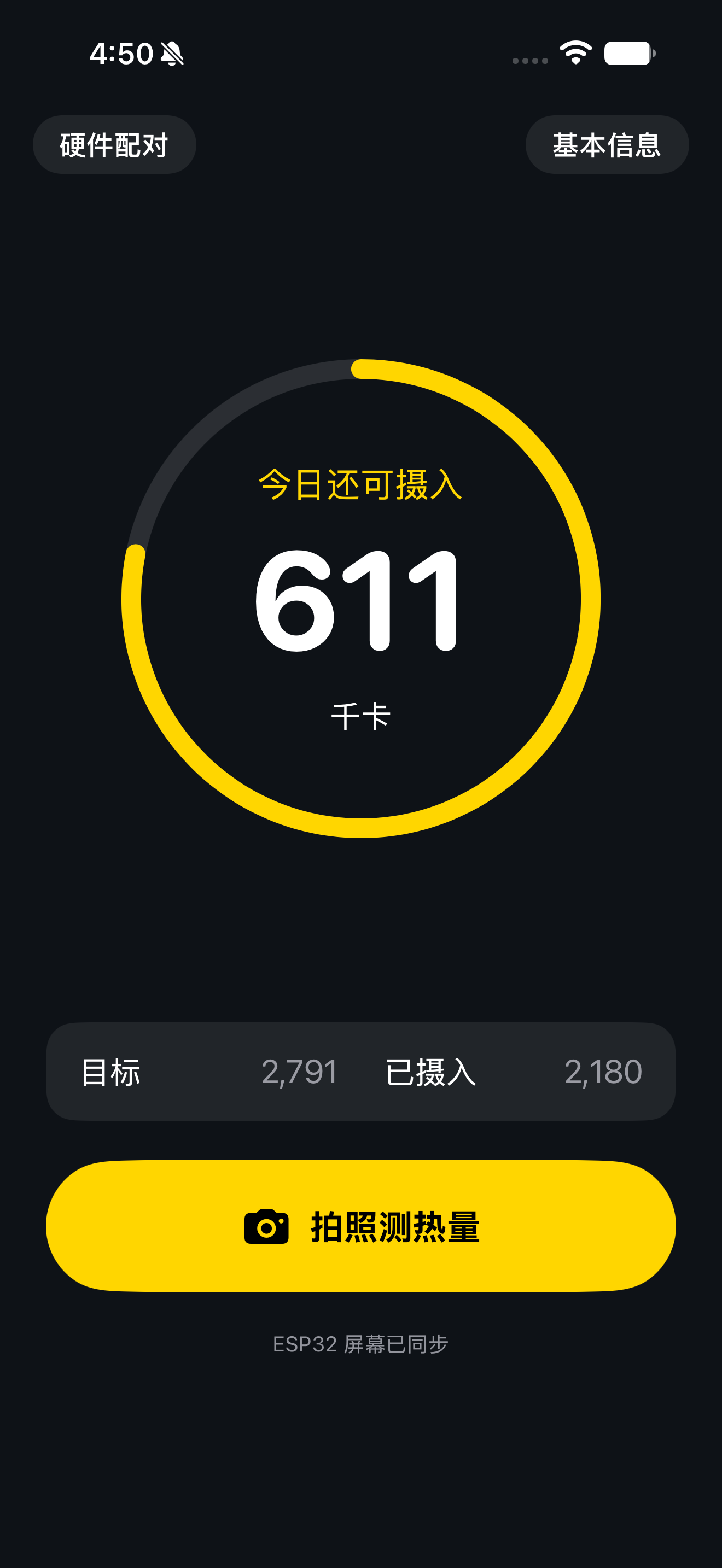
- Take or pick a photo; MiniCPM-V 4.7 35B-A3B identifies the food and estimates calories per item.
- Before adding, it shows how this meal moves you toward today's target.
- Computes a daily calorie target from sex, age, height, weight, activity level and weight goal.
- Stores the day's intake locally, resets at midnight, and can be cleared with one tap.
ESP32 screen
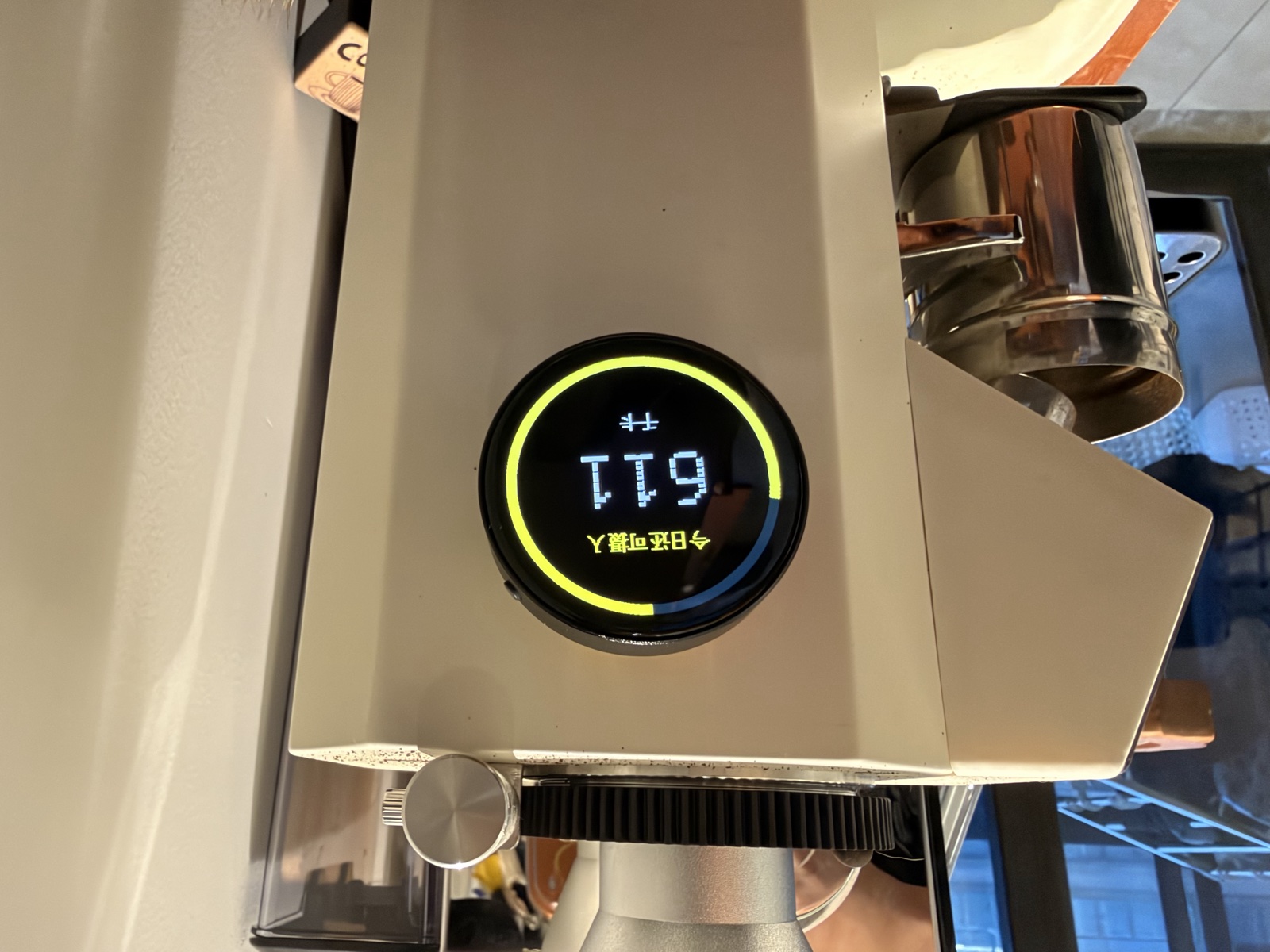
- Waveshare ESP32-S3-Touch-AMOLED-1.75 with a 466×466 round AMOLED; remaining calories in the centre.
- The outer ring fills clockwise from the top: green below 70%, yellow at 70–99%, red at or above the target, matching the app.
- The screen does not add anything up itself; it only receives the full state pushed by the app over the LAN.
How It Works
Photo / album image
    ↓
iOS app → ModelBest HTTPS API → food and calorie estimate
    ↓
User confirms whether to count it
    ↓
Today's intake saved locally
    ↓ HTTP POST /update
ESP32 round screen shows remaining calories and intake ring
The daily target uses the Mifflin–St Jeor formula for BMR, multiplied by an activity factor and adjusted for the weight goal. Estimates are for general wellness reference only, not medical advice.
Running It
The app needs Xcode, XcodeGen, iOS 17+ and a ModelBest API key; the firmware needs PlatformIO and 2.4 GHz Wi-Fi.
# App: copy the config and fill in MODELBEST_API_KEY and ESP32_BASE_URL
cp ios/CalorieIntake/Config/Secrets.example.xcconfig ios/CalorieIntake/Config/Secrets.xcconfig
cd ios/CalorieIntake && xcodegen generate && open CalorieIntake.xcodeproj

# ESP32: copy Secrets.h, fill in Wi-Fi, then build and flash
cp firmware/include/Secrets.example.h firmware/include/Secrets.h
pio run -d firmware -t upload --upload-port /dev/cu.usbmodemXXXX
The phone and the ESP32 must be on the same LAN. The screen exposes two endpoints: GET /health for the current state and POST /update with kcal and target.
The API key currently ships inside the app, which is only suitable for a LAN demo. For public distribution, model calls should move behind a backend proxy so the key is not exposed on the client.
Links
- GitHub: emwstudio/esp32-intake
- Demo videos: Douyin · Instagram