Read a document, and know which parts of it not to trust.
A Hermes Agent plugin that turns MiniCPM-OCR into a toolset the agent can reason about: every region comes back with a status, every claim can be scored against the image it came from, and anything doubtful is re-read before it reaches the user.
The project is still in development. The current version is 0.6.0, and the PR adding it to the Hermes plugin catalog (hermes-agent#150268) has not been merged yet. This is a community project, not affiliated with OpenBMB.
Why This Exists
An OCR call returns text. That is enough when the page is clean and the stakes are low, and it is not enough when the answer is an invoice total, a contract date or a prescription line. The failure mode is silent: the model produces a plausible string, the agent quotes it, nobody checks.
Two things fix that, and both are already in the model family:
- MiniCPM-OCR 1.0 returns a per-block status (
ok,failed,skipped_no_vlm,skipped_seal). - MiniCPM-OCR Jev scores any text against any image region, 0–1, and is model-agnostic — it grades another parser's output, or the agent's own transcription.
The plugin puts a stable interface on both, plus the loop around them: read → score → re-read the weak region → accept, or hand it to a human.
Four Tools
| Tool | Purpose |
|---|---|
ocr_read | Parses one image or PDF; returns page count, region count, block labels, failed regions with bboxes and a Markdown preview. Large output is truncated with a flag instead of flooding the turn |
ocr_job | Checks or cancels async parse jobs; long PDFs that outlive the wait return a job_id to poll |
ocr_verify | Scores whether a text really matches an image region. Use it before quoting a number, date or name, or when comparing two readings of the same crop |
ocr_queue | The human gate. Failed regions and agent-flagged items go into SQLite, not the conversation, so they survive context compression, restarts and plugin updates; exportable as CSV |
If ocr_verify could not actually score (for example the service is down), it returns scored: false, so the agent cannot mistake a transport failure for a low score.
Install
# once listed in the Hermes plugin catalog
hermes plugins install minicpm-ocr

# or from a clone, before it is listed
cp -r minicpm_ocr ~/.hermes/plugins/minicpm-ocr
hermes plugins enable minicpm-ocr
Requires Hermes 0.22.0+ and Python 3.10+. No third-party runtime dependencies.
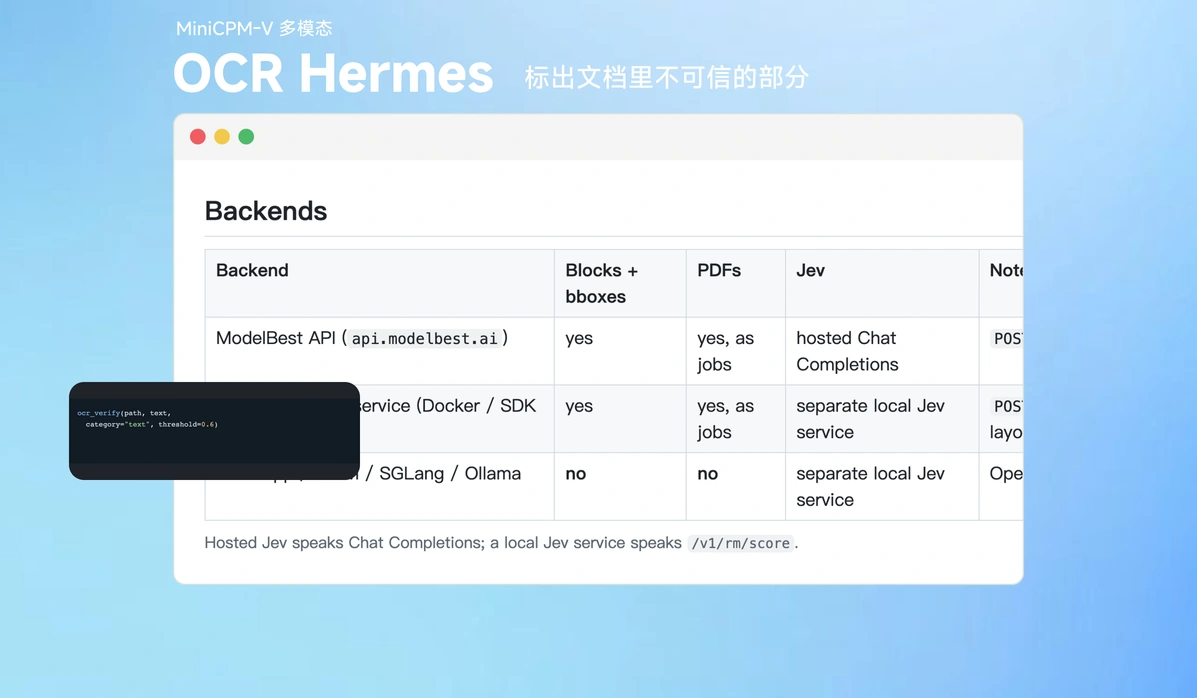
Three Backends
| Backend | Blocks + bboxes | PDFs | Jev |
|---|---|---|---|
| ModelBest hosted API | yes | yes, as jobs | hosted Jev |
| Local document service (official Docker image or SDK Web Demo backend) | yes | yes, as jobs | local Jev service |
| llama.cpp / vLLM / SGLang / Ollama | no | no | local Jev service |
The difference is architectural: per-region blocks come from the layout stage in OpenBMB's SDK, which crops the page and sends each region to the model. A bare model server has no layout stage, so it answers one image with one block of text. For the full layout pipeline, use the hosted API or a local document service.
With a local service, nothing leaves the machine. The author verified the full local path on an RTX 4070 (12 GB) with llama.cpp, Q8_0 weights and the SDK Web Demo backend:
llama-server \
  --model ./models/MiniCPM-OCR-1.0-gguf/MiniCPM-OCR-1_0-Q8_0.gguf \
  --mmproj ./models/MiniCPM-OCR-1.0-gguf/mmproj-model-f16-4x.gguf \
  --alias minicpm-ocr --host 127.0.0.1 --port 18499 \
  --ctx-size 8192 --n-gpu-layers 999 --parallel 1 --reasoning off

hermes config set plugins.entries.minicpm-ocr.settings.backend local
hermes config set plugins.entries.minicpm-ocr.settings.local_api document
hermes config set plugins.entries.minicpm-ocr.settings.base_url http://127.0.0.1:8966
Local Jev needs the render+score service rather than the raw scoring engine, because it renders the candidate text before scoring. A CJK font is required for Chinese regions; without one Chromium draws boxes and the score is meaningless.
Measured, Not Claimed
Measured by the author on 2026-11-06 with one RTX 4070 12 GB and a Ryzen 7 7800X3D (excerpt):
| Path | What | Result |
|---|---|---|
| ModelBest API | 653 KB invoice PNG, 15 regions | 25 s cold, 6–10 s warm, 0 failed |
| ModelBest Jev | correct transcription | 0.9952, 1.9 s |
| Local Jev (Q4_K_M) | correct transcription | 0.9948, 1.0 s (reference 0.99501) |
| Local Jev (Q4_K_M) | reordered OCR output | 0.0020, 0.8 s |
| llama.cpp Q8 | single text crop | 0.72 s |
| llama.cpp + SDK document service | invoice, 15 regions, warm | 7.5–12.2 s |
| llama.cpp + SDK document service | 6-page PDF, 89 regions | 32.4 s |
| Local Jev | 6 concurrent verifies | 1.0 s total |
Vendor figures (benchmarks, throughput) belong to the model cards and are intentionally not repeated.
Privacy and Safety
- Only documents you explicitly pass to a tool are sent to the configured backend. With ModelBest that is a third-party API; with a local URL nothing leaves the machine.
- URLs are
httpsonly; loopback, private ranges and the cloud metadata address are refused, on the first request and on every redirect. - No telemetry, no analytics, no self-updater.
- A failed call returns an error payload, never a silently empty result.
Roadmap
Next up: the ocr_extract tool and a CLI, then a demo build, an MCP adapter and a published calibration table. When OpenBMB ships a MiniCPM5 OCR checkpoint, it should drop in as a model-id change.
Links
- GitHub: PovedaAqui/minicpm-ocr-hermes
- Author's post on X: @povedaai
- Hermes plugin catalog PR: NousResearch/hermes-agent#150268