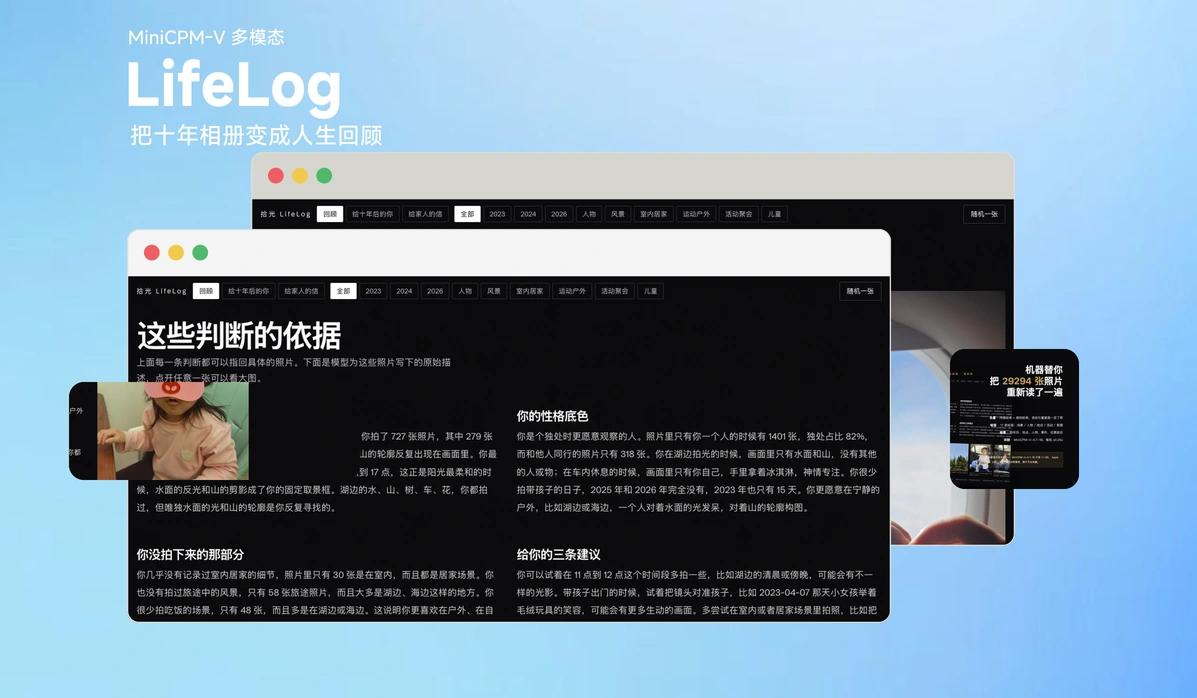
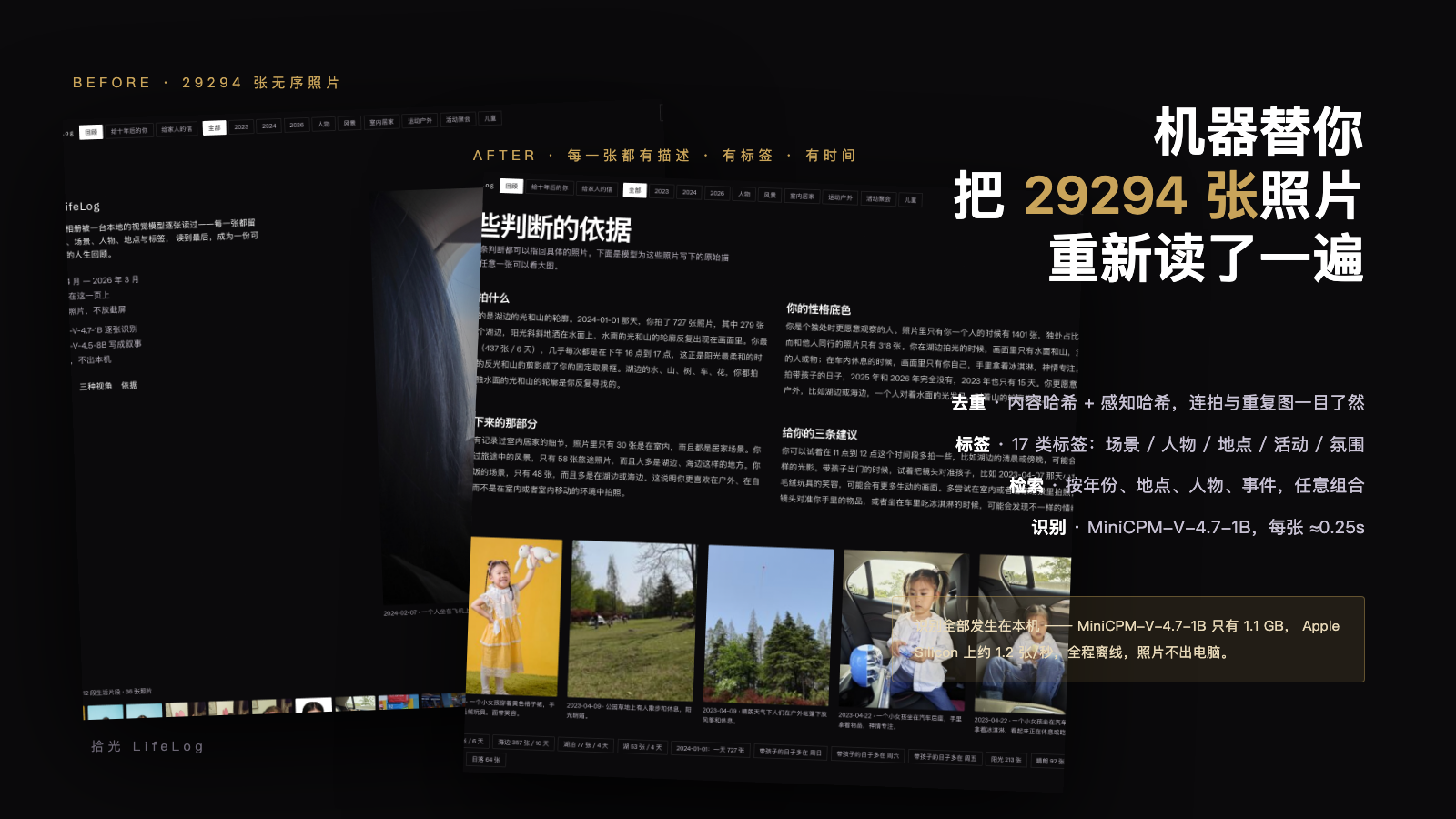
Ten years with a Xiaomi phone left the author with 29294 photos — hundreds of gigabytes of memories.
It's not that he doesn't want to revisit them; it's that he can't get through them: duplicates, that one photo he can't find, a trip he can't place in a year. Delete them? Something important might go. Keep them? They just sit there, getting heavier.
LifeLog has local MiniCPM look at every photo, one at a time, and turns them into a life review you can look back on. It does three things, then writes a fourth:
- Dedupe: content hash + perceptual hash — burst shots, duplicates and RAW+JPG pairs are obvious at a glance;
- Reorganize: 17 tag categories plus date, place, people, activity and mood, so every photo lands where it belongs;
- AI captioning: MiniCPM-V 4.7 1B looks at each photo and writes down "what happened";
- Life review: descriptions are grouped into days, strung into episodes and measured for patterns; MiniCPM-V 4.5 8B then writes three narratives and a portrait of you.
Why a Local Small Model
A photo library is the most private data there is; any "upload to the cloud for recognition" scheme means handing over every frame of ten years of your life. So the first hard requirement is: process tens of thousands of photos entirely offline, on a consumer machine with 16 GB of RAM.
| Model | Size | Role | Measured speed |
|---|---|---|---|
| MiniCPM-V 4.7 1B (Q8) | 1.1 GB | Whole-library captioning: scene, people, place, activity, mood, tags | ~1.2 photos/sec |
| MiniCPM-V 4.5 8B (Q4) | 5.0 GB | Deep understanding, three narratives, self-portrait | ~40 s/piece |
| MiniCPM-OCR 1.0 (Q8) | 0.8 GB | Text in screenshots, orders, tickets and signs | — |
Three reasons for using the 1B as the workhorse: at Q8 it is only 1.1 GB and takes about 2 GB of RAM once loaded, so it can run for hours alongside the OS, a browser and a database; with 4-way concurrency on Apple Silicon it does about 1.2 photos/sec, so even a 50,000-photo library finishes within half a day; and OpenBMB publishes llama.cpp-ready GGUF builds, so no conversion is needed. The 35B-A3B version doesn't fit in 16 GB.
Measured
On a 16 GB unified-memory Apple Silicon Mac with llama.cpp:
- MiniCPM-V 4.7 1B, 4-way concurrency: 1957 photos in 49 minutes;
- Writing (4.5 8B): a single review takes 10–15 s, a full portrait 22 s, all three narratives 16 s;
- The full library of 29,294 photos takes about 6–7 hours per pass — leave it running overnight; resumable;
- All 226 sampled photos produced parseable structured JSON. 14 initially failed to parse (the model occasionally drops a comma); with a fault-tolerant parser, none needed a re-run.
Three Narrative Voices
The same fact sheet, told three ways, switchable at the top of the page:
| Voice | Reads like |
|---|---|
| Your years | A friend who just flipped through your album, talking to you about a few specific moments |
| To you in ten years | Plain statements about that year's routines, company and state of mind — no inspiration, no sentiment |
| A letter to family | A short first-person note, facts only, ending on one small concrete thing |
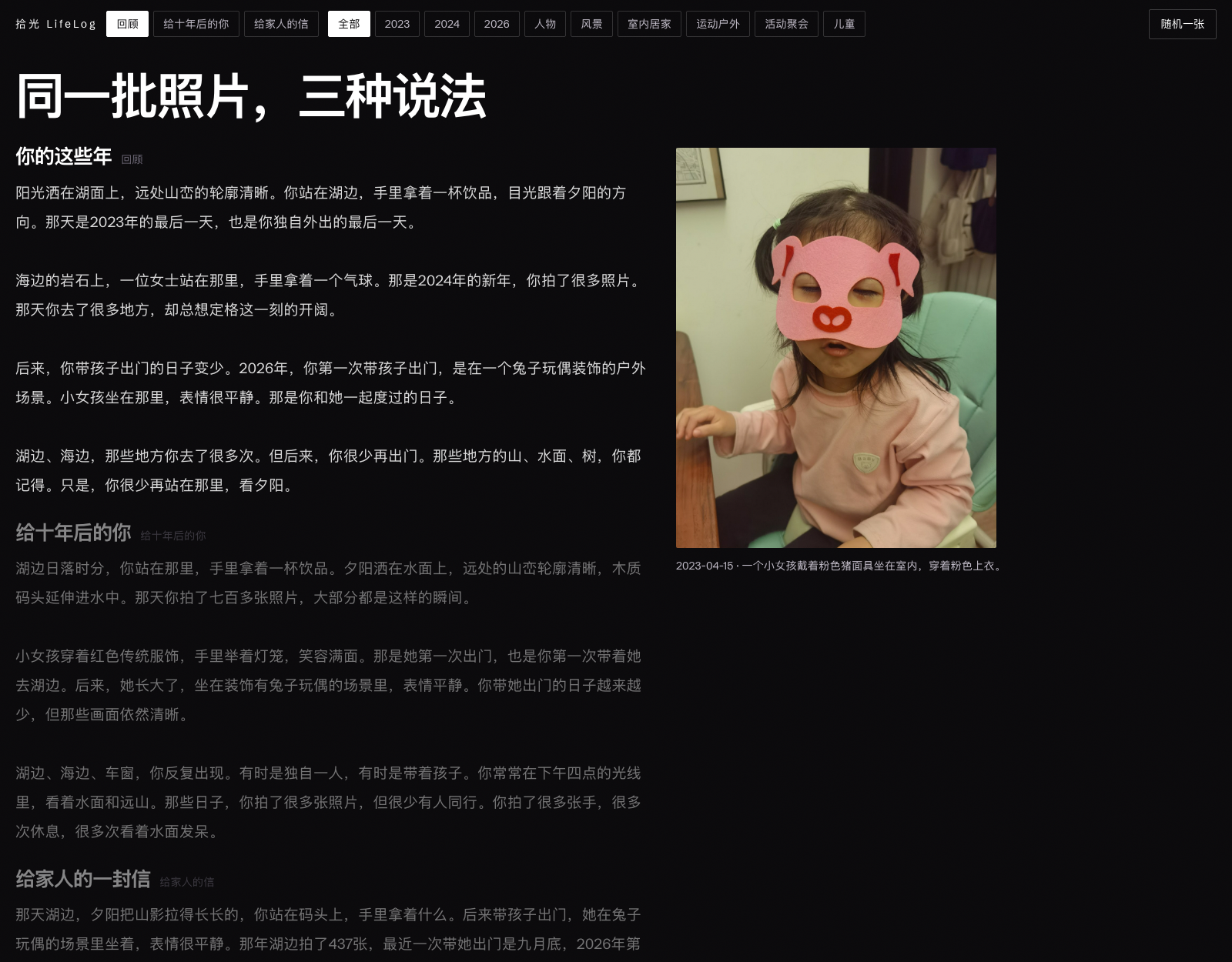
The prompt enforces short sentences, no metaphors, no sentimentality, no uplift and no piled-up adjectives; numbers must be quoted verbatim from a program-computed "fact whitelist", and the model may not convert or invent them. A real excerpt (translated):
On September 26, 2026, a little girl sat in an outdoor scene decorated with bunny dolls, her expression calm. That was the only time this year you took her out. The time before that was 2024.
A Self-Portrait with Evidence
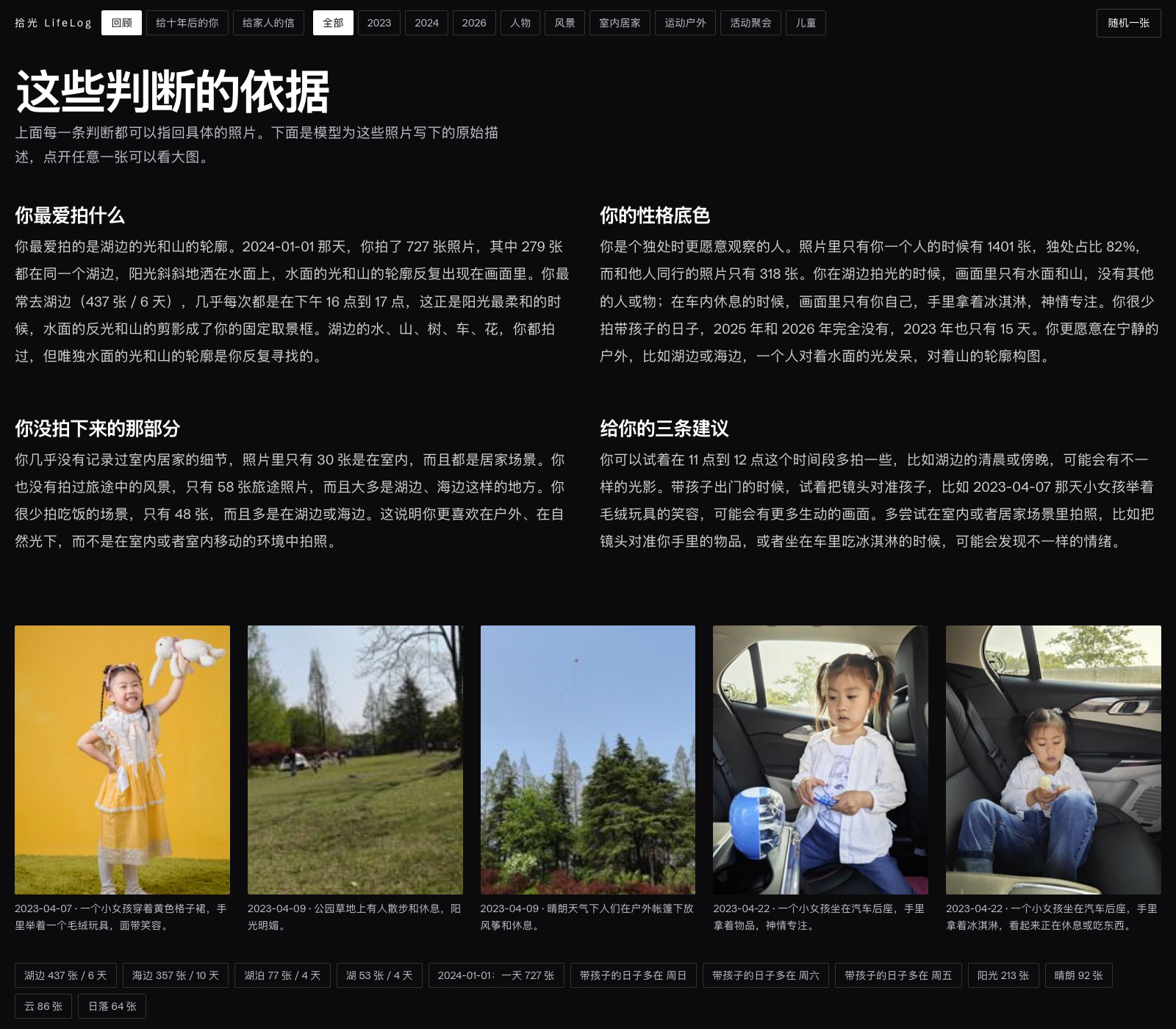
The portrait is not a pile of adjectives; every judgment shows its evidence right below it — the original photos plus what MiniCPM wrote about them at the time.
| Judgment | Evidence |
|---|---|
| You love shooting lakeside light and mountain outlines | 437 lakeside photos over 6 days; on 2024-01-01, 279 of 727 photos were at the same lake |
| Days with the kids cluster on weekends | 35 photos on Saturdays and 43 on Sundays — 3× the weekday count (14) |
| You hardly ever record indoor life | Only 30 indoor photos versus 1342 outdoor |
Just Ask
You can query your local library directly. Ask "where do I work" and it filters 2023 by clues like "desk, workstation, office lobby", hits 32 photos across 21 dates, and uses GPS to name the places. Ask "where should I take friends" and it recommends Sun Bay, Sanya in June 2023: 958 photos in the same coordinate cluster over three days, 214 outdoors and 184 seaside. Answers come with original thumbnails, capture times and the model's descriptions, so everything can be checked.
There is also an MCP server (6 tools: lifelog_ask, lifelog_search, lifelog_day, lifelog_profile, lifelog_journey, lifelog_events) and an agent skill, so agents can answer questions like "where did I go most last month" or "how many times did I take the kids out".
Quick Start
Requires an Apple Silicon Mac, 16 GB RAM, Python 3.11+ and Node 20+.
git clone https://github.com/lengjingxu/lifelog-minicpm.git
cd lifelog-minicpm
python3 -m venv .venv && .venv/bin/pip install pillow pillow-heif
npm install

# Download the model (~2 GB the first time)
.venv/bin/python scripts/fetch_models.py minicpm-v-4.7-1b

# Caption + aggregate + portrait and narratives
.venv/bin/python -m lifelog.cli weekly --sample 100

# Open http://127.0.0.1:8766/review
.venv/bin/python -m lifelog.cli serve-web --port 8766
To just see it work, bash scripts/demo.sh /path/to/photos 4 samples 100 photos and runs the whole pipeline in under 5 minutes. No photos at hand? scripts/mock_data.py generates 142 synthetic photos to try it out.
Architecture
Xiaomi Cloud album (read-only sync) or a local photo folder
        ↓  ingest.py
assets table (path, capture time, GPS)
        ↓  caption.py / ocr.py (MiniCPM, local llama.cpp)
captions table (structured description + tags + in-image text)
        ↓  aggregate.py (pure statistics)
days / events / profile (portrait, three narratives, fact whitelist)
        ↓  query.py
CLI / MCP server / review page
All inference goes through local llama.cpp, with no cloud vision API; Xiaomi Cloud sync only reads from the cloud and only writes to a local folder.
Links
- GitHub: lengjingxu/lifelog-minicpm