MiniCPM-V 4.6
MiniCPM-V Multimodal Series
Start from a single image and one question to get your first response, then move on to multi-image comparison, video understanding, OCR, PDF parsing and visual grounding. Pick the example that matches your task and build your multimodal app from there.
MiniCPM-V 4.6 is registered upstream in transformers >= 5.7.0 as the standalone architecture MiniCPMV4_6ForConditionalGeneration, so the standard HuggingFace AutoProcessor + model.generate flow works out of the box.
Unlike the single checkpoint of 4.5, version 4.6 ships two separate checkpoints — just change model_path:
model_path | Use |
|---|---|
openbmb/MiniCPM-V-4.6 | Instruct, answers directly |
openbmb/MiniCPM-V-4.6-Thinking | Thinking, reasons before answering |
Single-image QA
Initialize model
import torch
from PIL import Image
from transformers import AutoProcessor, AutoModelForImageTextToText

# Pick the variant you want:
#   "openbmb/MiniCPM-V-4.6"        — Instruct
#   "openbmb/MiniCPM-V-4.6-Thinking"  — Thinking
model_path = "openbmb/MiniCPM-V-4.6"

processor = AutoProcessor.from_pretrained(model_path)
model = AutoModelForImageTextToText.from_pretrained(
    model_path,
    torch_dtype=torch.bfloat16,
    attn_implementation="sdpa",  # or "flash_attention_2"
).eval().cuda()
Chat with a single image
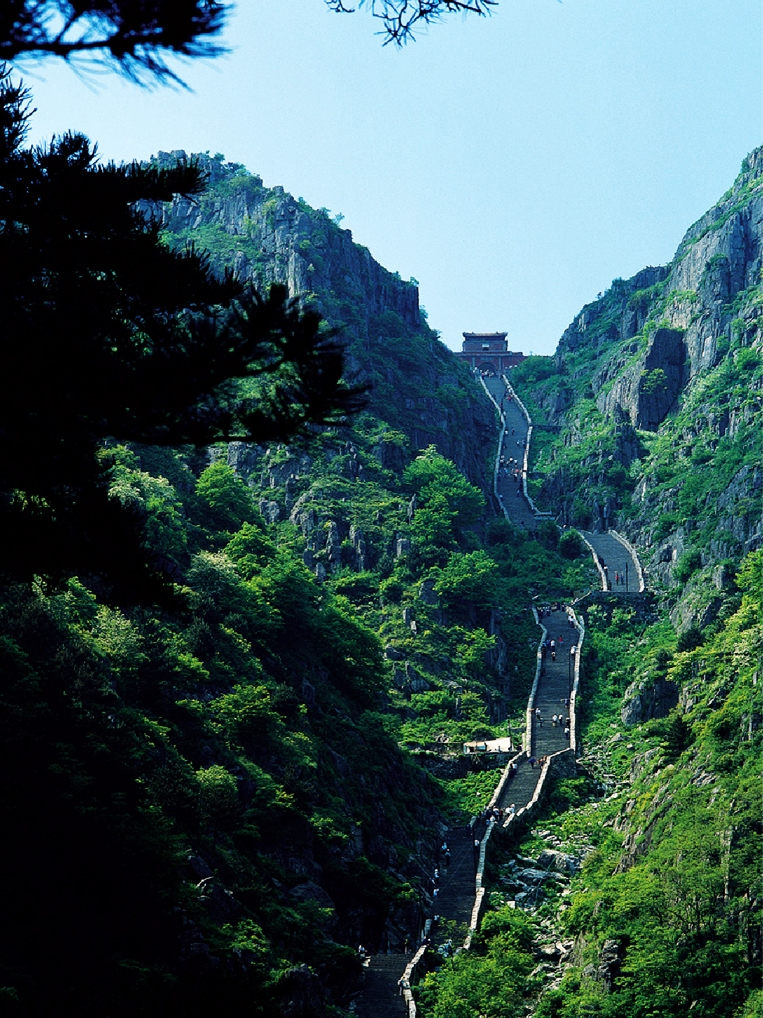
image = Image.open("./assets/single.png").convert("RGB")

# First round
question = "What is the landform in the picture?"
messages = [{
    "role": "user",
    "content": [
        {"type": "image", "image": image},
        {"type": "text", "text": question},
    ],
}]

inputs = processor.apply_chat_template(
    messages,
    add_generation_prompt=True,
    tokenize=True,
    return_dict=True,
    return_tensors="pt",
).to(model.device)

out_ids = model.generate(**inputs, max_new_tokens=512)
answer = processor.decode(
    out_ids[0][inputs["input_ids"].shape[-1]:],
    skip_special_tokens=True,
)
print(answer)
Second round
messages.append({"role": "assistant", "content": [{"type": "text", "text": answer}]})
messages.append({
    "role": "user",
    "content": [{"type": "text", "text": "What should I pay attention to when traveling here?"}],
})

inputs = processor.apply_chat_template(
    messages,
    add_generation_prompt=True,
    tokenize=True,
    return_dict=True,
    return_tensors="pt",
).to(model.device)

out_ids = model.generate(**inputs, max_new_tokens=512)
answer = processor.decode(
    out_ids[0][inputs["input_ids"].shape[-1]:],
    skip_special_tokens=True,
)
print(answer)
Sample image
Notes on the Thinking variant
If model_path points to openbmb/MiniCPM-V-4.6-Thinking, the chat template prepends a <think>\n block to the assistant turn — the model returns <reasoning>\n</think>\n<final answer>. To skip the leading <think> block, pass enable_thinking=False:
inputs = processor.apply_chat_template(
    messages,
    add_generation_prompt=True,
    tokenize=True,
    return_dict=True,
    return_tensors="pt",
    chat_template_kwargs={"enable_thinking": False},
).to(model.device)
The Instruct checkpoint never emits <think> blocks; pick the appropriate checkpoint for your task instead of toggling at request time.
Multi-image QA
Initialize model
import torch
from PIL import Image
from transformers import AutoProcessor, AutoModelForImageTextToText

model_path = "openbmb/MiniCPM-V-4.6"  # or "openbmb/MiniCPM-V-4.6-Thinking"

processor = AutoProcessor.from_pretrained(model_path)
model = AutoModelForImageTextToText.from_pretrained(
    model_path,
    torch_dtype=torch.bfloat16,
    attn_implementation="sdpa",
).eval().cuda()
Chat with multiple images
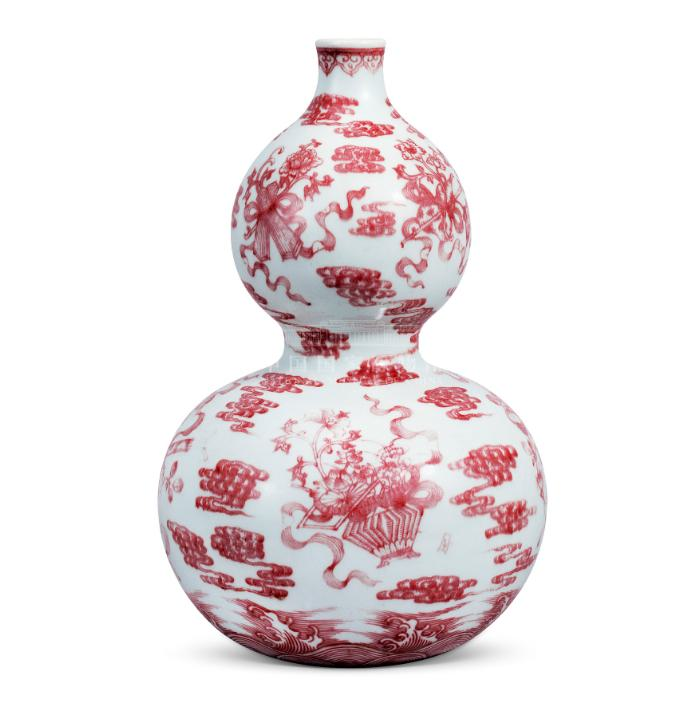
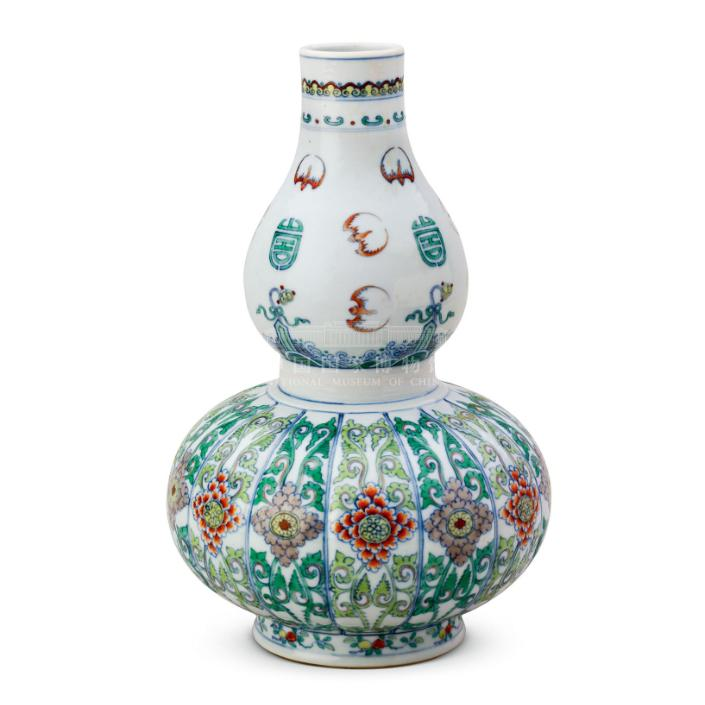
image1 = Image.open("assets/multi1.png").convert("RGB")
image2 = Image.open("assets/multi2.png").convert("RGB")

messages = [{
    "role": "user",
    "content": [
        {"type": "image", "image": image1},
        {"type": "image", "image": image2},
        {"type": "text",  "text":  "Compare the two images, tell me about the differences between them."},
    ],
}]

inputs = processor.apply_chat_template(
    messages,
    add_generation_prompt=True,
    tokenize=True,
    return_dict=True,
    return_tensors="pt",
).to(model.device)

out_ids = model.generate(**inputs, max_new_tokens=512)
answer = processor.decode(
    out_ids[0][inputs["input_ids"].shape[-1]:],
    skip_special_tokens=True,
)
print(answer)
Sample images
Video QA
v4.6 handles video through the normal message flow: put a
{"type": "video", ...}entry in the message content and let the processor decode / sample frames. Frame budget and sampling are controlled by processor kwargs — no manual frame decoding and no special video backend required.
Install
pip install "transformers[torch]>=5.7.0" torchvision torchcodec
CUDA note:
torchcodec(video decoding) can be picky about CUDA versions. If you hitRuntimeError: Could not load libtorchcodec, either usePyAVinstead —pip install "transformers[torch]>=5.7.0" torchvision av— or pin the CUDA build when installing torch (e.g. CUDA 12.8):pip install "transformers>=5.7.0" torchvision torchcodec --index-url https://download.pytorch.org/whl/cu128
Initialize model
import torch
from transformers import AutoProcessor, AutoModelForImageTextToText

model_path = "openbmb/MiniCPM-V-4.6"  # or "openbmb/MiniCPM-V-4.6-Thinking"

processor = AutoProcessor.from_pretrained(model_path)
model = AutoModelForImageTextToText.from_pretrained(
    model_path,
    torch_dtype="auto",
    device_map="auto",
)

# Flash Attention 2 is recommended for better acceleration and memory saving,
# especially in video scenarios.
# model = AutoModelForImageTextToText.from_pretrained(
#     model_path,
#     torch_dtype=torch.bfloat16,
#     attn_implementation="flash_attention_2",
#     device_map="auto",
# )
Chat with video
messages = [
    {
        "role": "user",
        "content": [
            {"type": "video", "url": "https://huggingface.co/datasets/openbmb/DemoCase/resolve/main/football.mp4"},
            {"type": "text", "text": "Describe this video in detail. Follow the timeline and focus on on-screen text, interface changes, main actions, and scene changes."},
        ],
    }
]

downsample_mode = "16x"  # use "4x" for finer detail

inputs = processor.apply_chat_template(
    messages, tokenize=True, add_generation_prompt=True,
    return_dict=True, return_tensors="pt",
    downsample_mode=downsample_mode,
    max_num_frames=128,
    stack_frames=1,
    max_slice_nums=1,
    use_image_id=False,
).to(model.device)

generated_ids = model.generate(**inputs, downsample_mode=downsample_mode, max_new_tokens=2048)
generated_ids_trimmed = [
    out_ids[len(in_ids):] for in_ids, out_ids in zip(inputs.input_ids, generated_ids)
]
output_text = processor.batch_decode(
    generated_ids_trimmed, skip_special_tokens=True, clean_up_tokenization_spaces=False
)
print(output_text[0])
To use a local file instead of a URL, pass the path directly:
{"type": "video", "url": "./assets/badminton.mp4"}
Advanced parameters
Pass these to apply_chat_template (and, where noted, to generate):
| Parameter | Default | Applies to | Description |
|---|---|---|---|
downsample_mode | "16x" | Image & Video | Visual token downsampling. "16x" merges tokens for efficiency; "4x" keeps 4× more tokens for finer detail. Must also be passed to generate(). |
max_slice_nums | 9 | Image & Video | Maximum number of slices when splitting a high-resolution image. Higher values preserve more detail. Recommended: 36 for image, 1 for video. |
max_num_frames | 128 | Video only | Controls the temporal context length and prevents VRAM overflow. Short videos (≤ max_num_frames sec): sampled at 1 FPS. Long videos (> max_num_frames sec): uniformly sampled to exactly max_num_frames frames. |
stack_frames | 1 | Video only | Sample points per second. 1 = main frame only. N (N>1) = 1 main frame + N−1 sub-frames per second, composited into a grid image. Recommended 1 for short videos, 3–5 for long videos. |
use_image_id | True | Image & Video | Whether to prepend <image_id>N</image_id> before each image/frame placeholder. Set True for image, False for video. |
Note:
downsample_modemust be passed to bothapply_chat_template(for the correct placeholder count) andgenerate(for the vision encoder). All other parameters only need to go toapply_chat_template.
OCR
Initialize model
import torch
from PIL import Image
from transformers import AutoProcessor, AutoModelForImageTextToText

model_path = "openbmb/MiniCPM-V-4.6"

processor = AutoProcessor.from_pretrained(model_path)
model = AutoModelForImageTextToText.from_pretrained(
    model_path,
    torch_dtype=torch.bfloat16,
    attn_implementation="sdpa",
).eval().cuda()
Usage example
ocr_image = Image.open("./assets/ocr.png").convert("RGB")

messages = [{
    "role": "user",
    "content": [
        {"type": "image", "image": ocr_image},
        {"type": "text",  "text":  "What is the text in the picture?"},
    ],
}]

inputs = processor.apply_chat_template(
    messages,
    add_generation_prompt=True,
    tokenize=True,
    return_dict=True,
    return_tensors="pt",
).to(model.device)

out_ids = model.generate(**inputs, max_new_tokens=1024)
answer = processor.decode(
    out_ids[0][inputs["input_ids"].shape[-1]:],
    skip_special_tokens=True,
)
print(answer)
Sample image
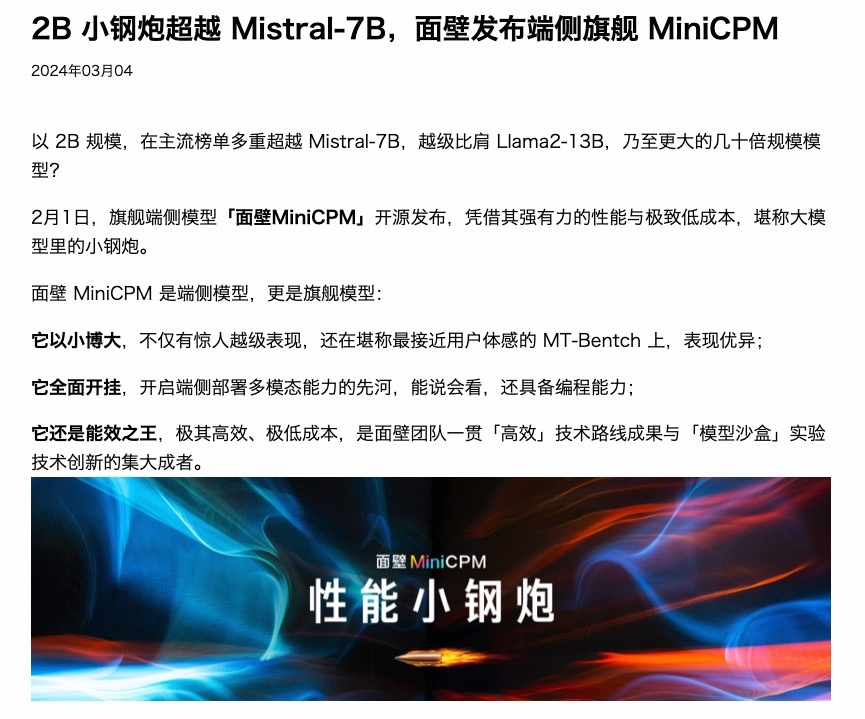
For Chinese-heavy or dense text pages, the Thinking checkpoint (
openbmb/MiniCPM-V-4.6-Thinking) often produces more faithful transcriptions because it inspects the layout before answering. The Instruct checkpoint is faster and usually sufficient for short / well-cropped text.
PDF parsing
Initialize model
import torch
from transformers import AutoProcessor, AutoModelForImageTextToText

model_path = "openbmb/MiniCPM-V-4.6"

processor = AutoProcessor.from_pretrained(model_path)
model = AutoModelForImageTextToText.from_pretrained(
    model_path,
    torch_dtype=torch.bfloat16,
    attn_implementation="sdpa",
).eval().cuda()
PDF → images
# requires poppler-utils:
#   sudo apt-get update && sudo apt-get install poppler-utils
from pdf2image import convert_from_path


def pdf_to_images(pdf_path: str, dpi: int = 200):
    images = convert_from_path(pdf_path, dpi=dpi)
    return [image.convert("RGB") for image in images]
Usage example
prompt = """
You are an OCR assistant. Your task is to identify and extract all visible text from the image provided. Preserve the original formatting as closely as possible, including:

- Line breaks and paragraphs
- Headings and subheadings
- Any tables, lists, bullet points, or numbered items
- Special characters, spacing, and alignment

Output strictly the extracted text in Markdown format, reflecting the layout and structure of the original image. Do not add commentary, interpretation, or summarization—only return the raw text content with its formatting.
"""

images = pdf_to_images("assets/parse.pdf")

content = [{"type": "image", "image": img} for img in images]
content.insert(0, {"type": "text", "text": prompt})

messages = [{"role": "user", "content": content}]

inputs = processor.apply_chat_template(
    messages,
    add_generation_prompt=True,
    tokenize=True,
    return_dict=True,
    return_tensors="pt",
).to(model.device)

out_ids = model.generate(**inputs, max_new_tokens=4096)
answer = processor.decode(
    out_ids[0][inputs["input_ids"].shape[-1]:],
    skip_special_tokens=True,
)
print(answer)
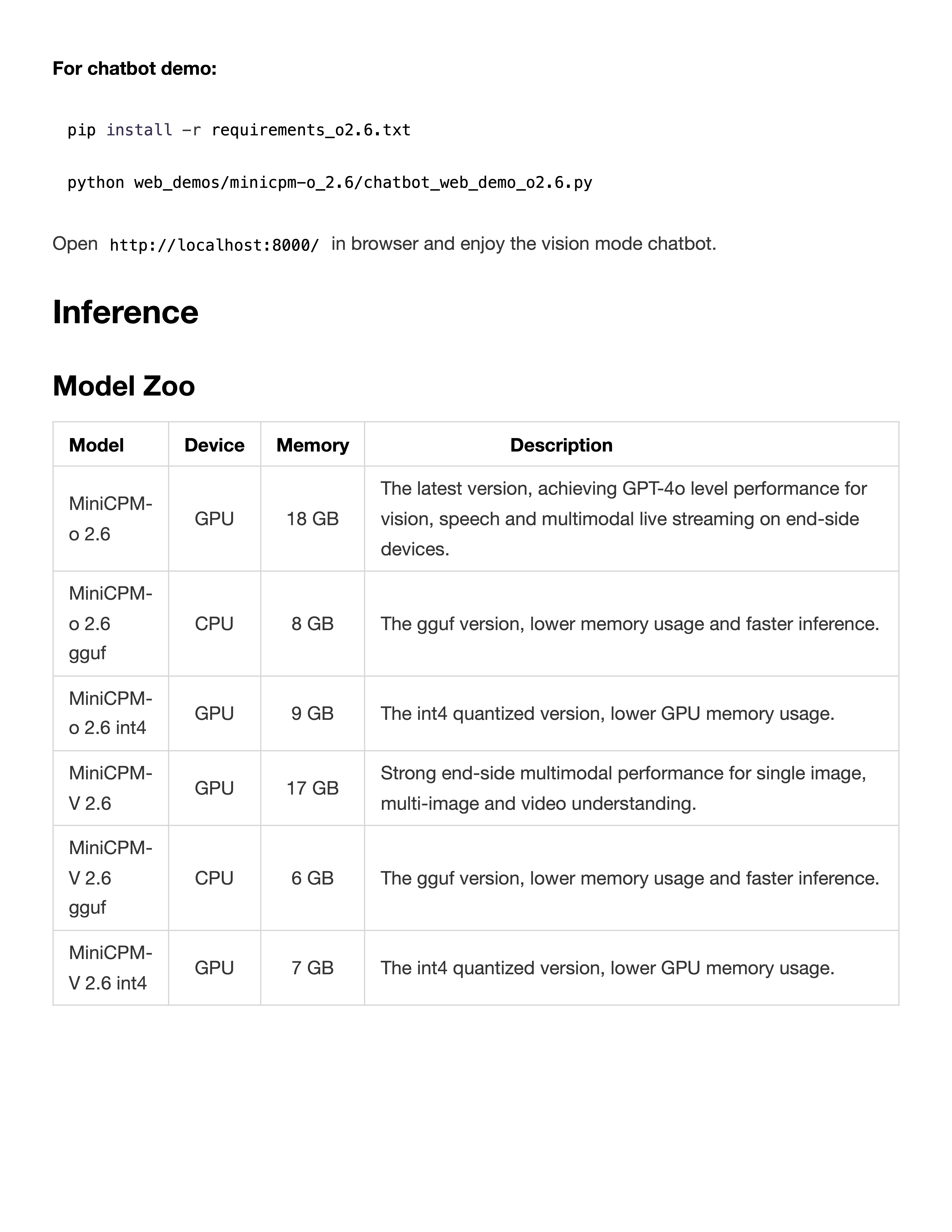
Sample PDF
Visual grounding
Sample Code
import re
import torch
from PIL import Image, ImageDraw
from transformers import AutoProcessor, AutoModelForImageTextToText


def setup_model_and_processor(model_path: str):
    processor = AutoProcessor.from_pretrained(model_path)
    model = AutoModelForImageTextToText.from_pretrained(
        model_path,
        torch_dtype=torch.bfloat16,
        attn_implementation="sdpa",
    ).eval().cuda()
    return model, processor


def extract_bbox_from_response(response: str):
    match = re.search(r"<box>([\d\s]+)</box>", response)
    if not match:
        raise ValueError("Can't find bbox in response")
    return list(map(int, match.group(1).strip().split()))


def draw_bbox_on_image(image: Image.Image, bbox):
    w, h = image.size
    x1 = int(bbox[0] / 1000 * w)
    y1 = int(bbox[1] / 1000 * h)
    x2 = int(bbox[2] / 1000 * w)
    y2 = int(bbox[3] / 1000 * h)
    draw = ImageDraw.Draw(image)
    draw.rectangle([x1, y1, x2, y2], outline="red", width=4)
    return image


def model_infer_and_draw(img_path, question, model, processor):
    image = Image.open(img_path).convert("RGB")
    messages = [{
        "role": "user",
        "content": [
            {"type": "image", "image": image},
            {"type": "text",  "text":  question},
        ],
    }]

    inputs = processor.apply_chat_template(
        messages,
        add_generation_prompt=True,
        tokenize=True,
        return_dict=True,
        return_tensors="pt",
    ).to(model.device)

    with torch.inference_mode():
        out_ids = model.generate(**inputs, max_new_tokens=1024)

    response = processor.decode(
        out_ids[0][inputs["input_ids"].shape[-1]:],
        skip_special_tokens=True,
    )
    print("Model output:", response)

    bbox = extract_bbox_from_response(response)
    return response, bbox, draw_bbox_on_image(image, bbox)


model_path = "openbmb/MiniCPM-V-4.6"
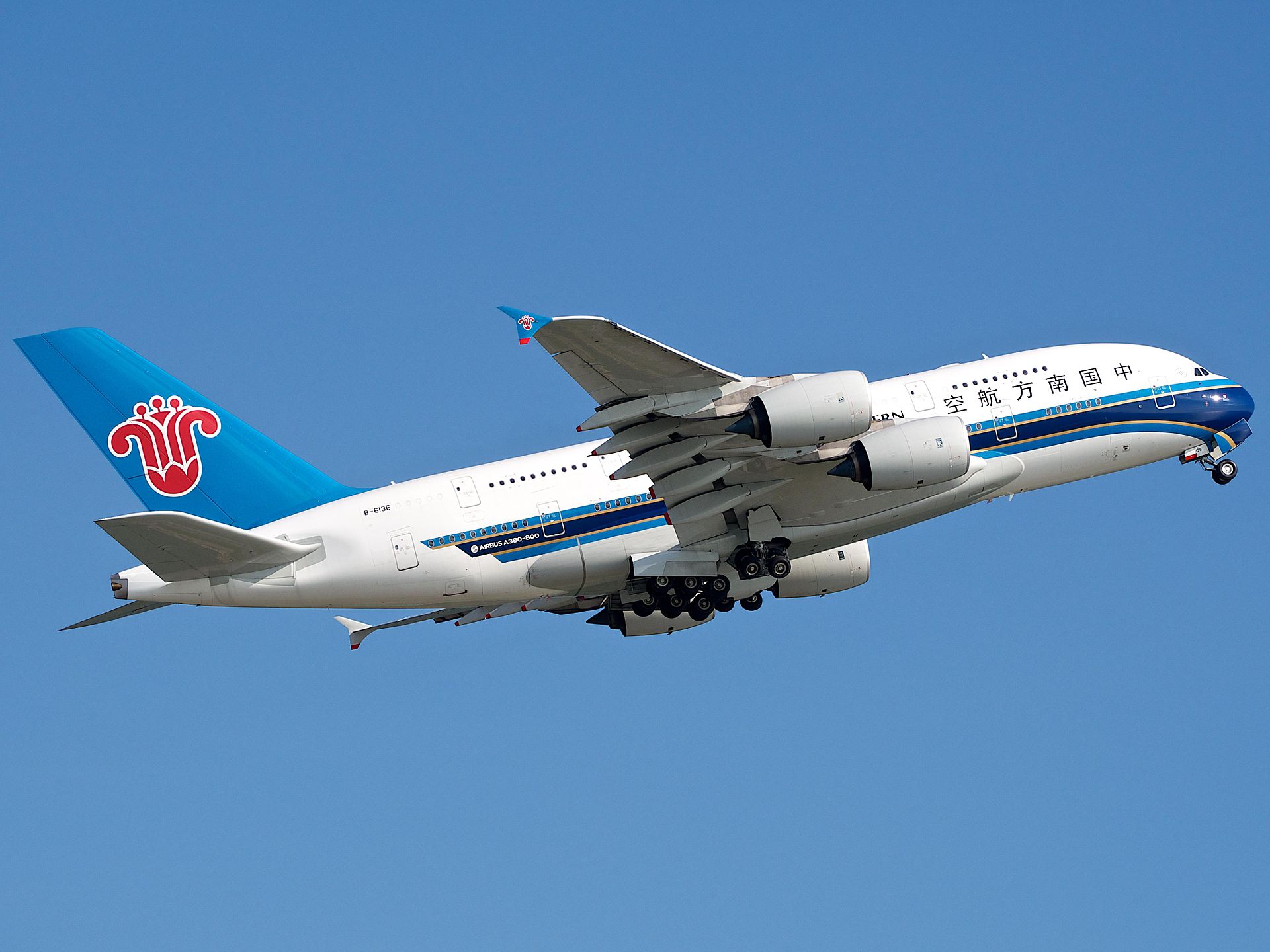
img_path = "./assets/airplane.jpeg"
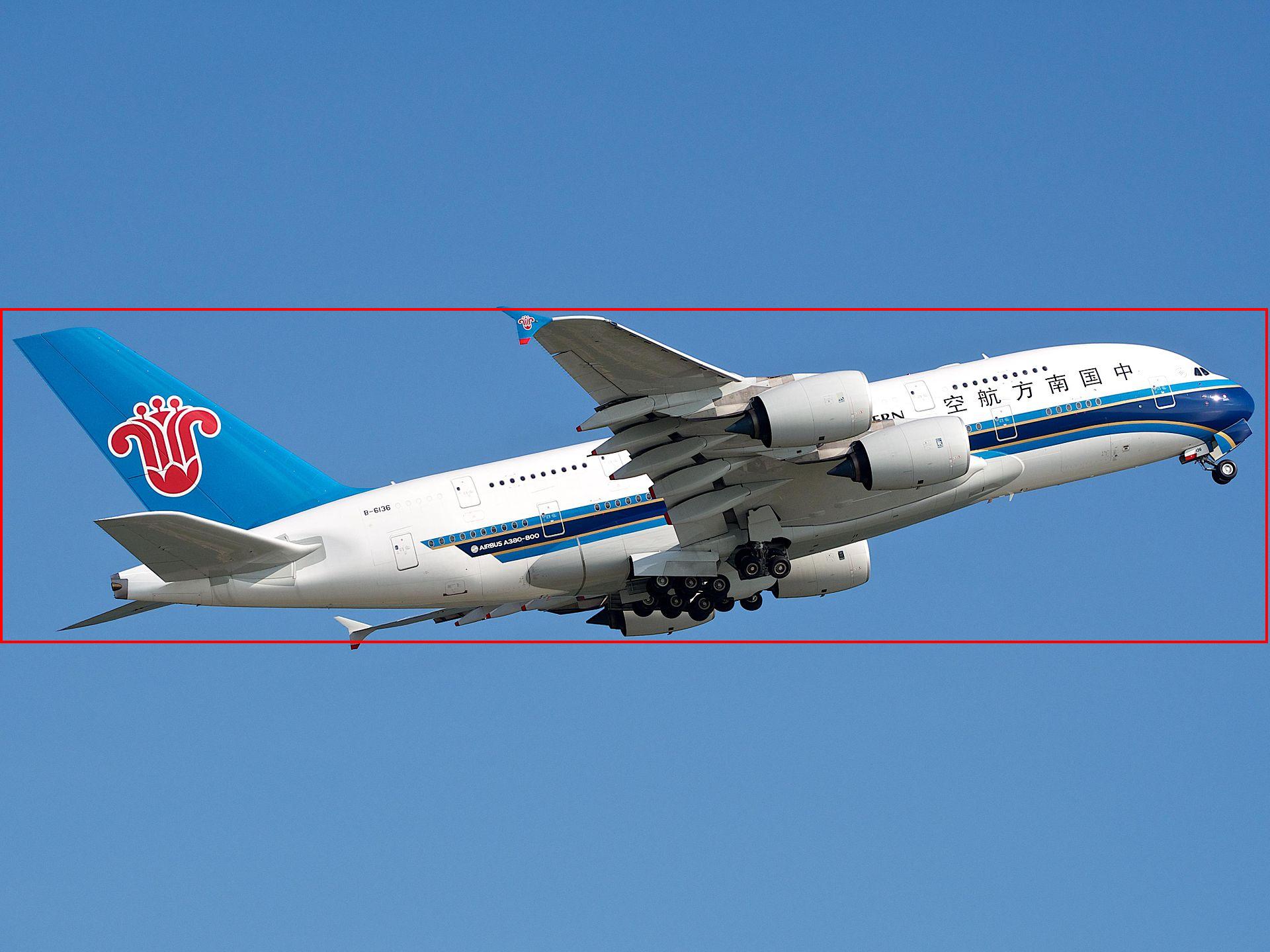
question = "Please provide the bounding box coordinate of the region this sentence describes: <ref>airplane</ref>"

model, processor = setup_model_and_processor(model_path)
response, bbox, image_with_box = model_infer_and_draw(img_path, question, model, processor)
image_with_box.save("./assets/airplane_grounding.jpeg")
Show case
Airplane
Original image:
After grounding:
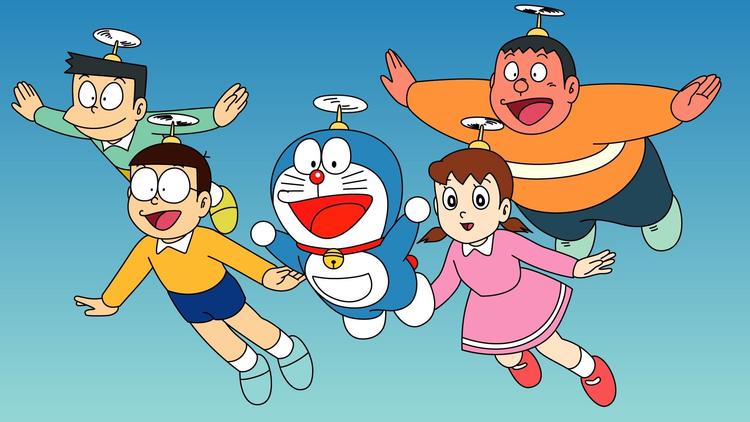
Multiple objects
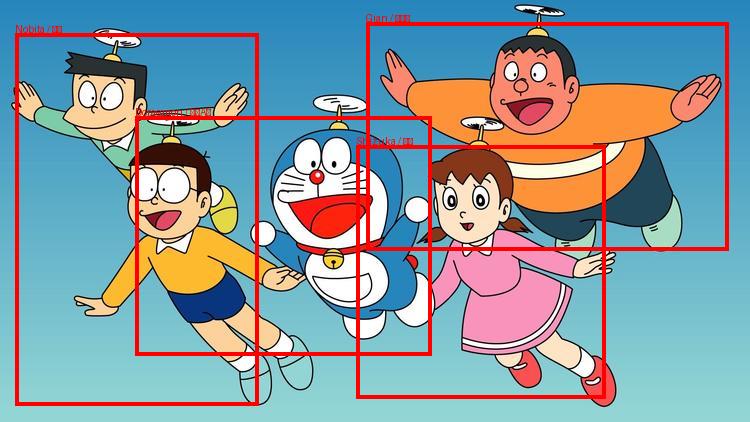
For multi-object grounding, ask the model to return JSON instead of <box> and parse the result accordingly:
import json
import re
import torch
from PIL import Image, ImageDraw
from transformers import AutoProcessor, AutoModelForImageTextToText


def extract_bboxes_from_json_response(response: str):
    response_json = json.loads(response)
    bboxes, names = [], []
    for item in response_json:
        bbox_str = re.sub(r"</?box>", "", item.get("box", "")).strip()
        bboxes.append(list(map(int, bbox_str.split())))
        names.append((item.get("name_en", ""), item.get("name_zh", "")))
    return bboxes, names


def draw_multiple_bboxes(image: Image.Image, bboxes, names):
    w, h = image.size
    draw = ImageDraw.Draw(image)
    for (x1, y1, x2, y2), (en, zh) in zip(bboxes, names):
        x1 = int(x1 / 1000 * w); y1 = int(y1 / 1000 * h)
        x2 = int(x2 / 1000 * w); y2 = int(y2 / 1000 * h)
        draw.rectangle([x1, y1, x2, y2], outline="red", width=4)
        draw.text((x1, y1 - 10), f"{en} / {zh}", fill="red")
    return image


model_path = "openbmb/MiniCPM-V-4.6"
img_path = "./assets/doraemon.jpg"
question = (
    "Identify all characters in the image and return their bounding boxes "
    "and English name and Chinese name in JSON format, "
    'a list of {"name_en": "Doraemon", "name_zh": "哆啦A梦", "box": "x1 y1 x2 y2"}'
)

processor = AutoProcessor.from_pretrained(model_path)
model = AutoModelForImageTextToText.from_pretrained(
    model_path, torch_dtype=torch.bfloat16, attn_implementation="sdpa",
).eval().cuda()

image = Image.open(img_path).convert("RGB")
messages = [{
    "role": "user",
    "content": [
        {"type": "image", "image": image},
        {"type": "text",  "text":  question},
    ],
}]
inputs = processor.apply_chat_template(
    messages, add_generation_prompt=True, tokenize=True,
    return_dict=True, return_tensors="pt",
).to(model.device)

with torch.inference_mode():
    out_ids = model.generate(**inputs, max_new_tokens=1024)

response = processor.decode(
    out_ids[0][inputs["input_ids"].shape[-1]:], skip_special_tokens=True
)
bboxes, names = extract_bboxes_from_json_response(response)
draw_multiple_bboxes(image, bboxes, names).save("./assets/doraemon_multi_grounding.jpg")
Original image:
After grounding: