MiniCPM-V 4.6
MiniCPM-V 多模态系列
从一张图片和一个问题开始,跑通首次对话,再尝试多图比较、视频理解、OCR、PDF 解析与视觉定位。选择与你任务相符的示例,逐步搭建自己的多模态应用。
MiniCPM-V 4.6 已在 transformers >= 5.7.0 中注册为独立架构 MiniCPMV4_6ForConditionalGeneration,标准 HuggingFace AutoProcessor + model.generate 流程即可使用。
与 MiniCPM-V 4.5 的单一权重不同,MiniCPM-V 4.6 提供两个独立 checkpoint,改 model_path 即可切换:
model_path | 用途 |
|---|---|
openbmb/MiniCPM-V-4.6 | Instruct,直接作答 |
openbmb/MiniCPM-V-4.6-Thinking | Thinking,先推理再作答 |
单图问答
加载模型
import torch
from PIL import Image
from transformers import AutoProcessor, AutoModelForImageTextToText

# 选择需要的 checkpoint:
#   "openbmb/MiniCPM-V-4.6"        — Instruct
#   "openbmb/MiniCPM-V-4.6-Thinking"  — Thinking(思考模式)
model_path = "openbmb/MiniCPM-V-4.6"

processor = AutoProcessor.from_pretrained(model_path)
model = AutoModelForImageTextToText.from_pretrained(
    model_path,
    torch_dtype=torch.bfloat16,
    attn_implementation="sdpa",  # 也可设为 "flash_attention_2"
).eval().cuda()
单图对话
image = Image.open("./assets/single.png").convert("RGB")

# 第一轮
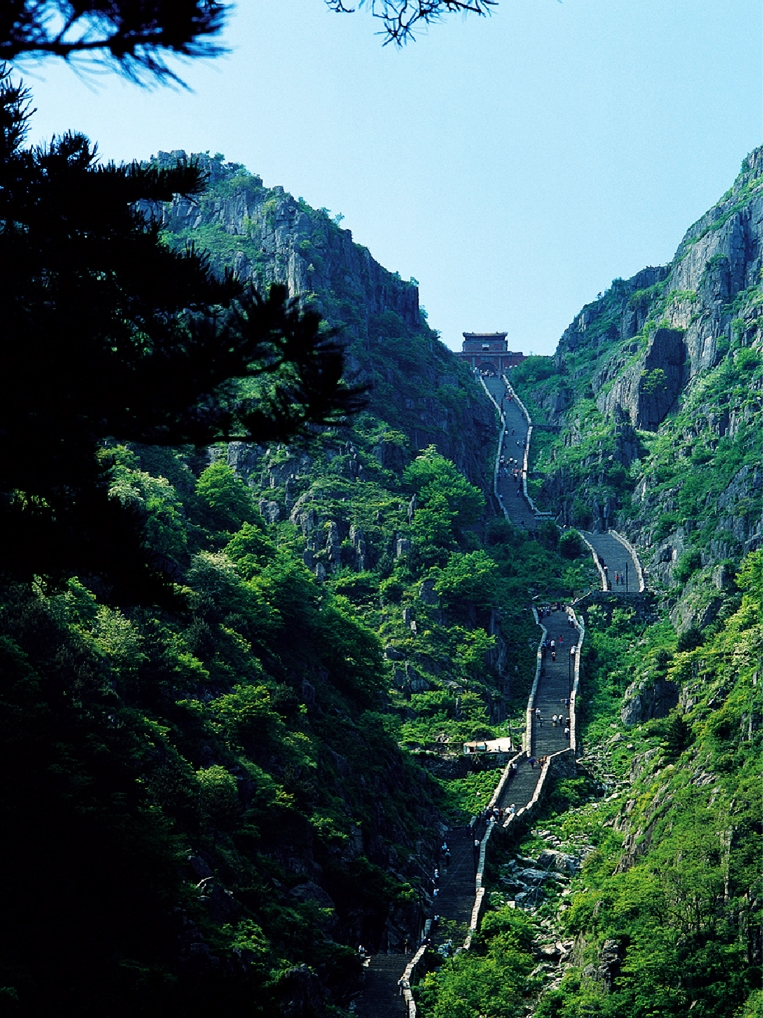
question = "图片中的地貌是什么?"
messages = [{
    "role": "user",
    "content": [
        {"type": "image", "image": image},
        {"type": "text", "text": question},
    ],
}]

inputs = processor.apply_chat_template(
    messages,
    add_generation_prompt=True,
    tokenize=True,
    return_dict=True,
    return_tensors="pt",
).to(model.device)

out_ids = model.generate(**inputs, max_new_tokens=512)
answer = processor.decode(
    out_ids[0][inputs["input_ids"].shape[-1]:],
    skip_special_tokens=True,
)
print(answer)
第二轮对话
messages.append({"role": "assistant", "content": [{"type": "text", "text": answer}]})
messages.append({
    "role": "user",
    "content": [{"type": "text", "text": "去这里旅行需要注意什么?"}],
})

inputs = processor.apply_chat_template(
    messages,
    add_generation_prompt=True,
    tokenize=True,
    return_dict=True,
    return_tensors="pt",
).to(model.device)

out_ids = model.generate(**inputs, max_new_tokens=512)
answer = processor.decode(
    out_ids[0][inputs["input_ids"].shape[-1]:],
    skip_special_tokens=True,
)
print(answer)
示例图片
关于 Thinking 版本的说明
如果 model_path 指向 openbmb/MiniCPM-V-4.6-Thinking,chat template 会在 assistant 起始位置插入一个 <think>\n 块——模型会先输出 <推理过程>\n</think>\n<最终回答>。如需跳过开头的 <think> 块,传入 enable_thinking=False:
inputs = processor.apply_chat_template(
    messages,
    add_generation_prompt=True,
    tokenize=True,
    return_dict=True,
    return_tensors="pt",
    chat_template_kwargs={"enable_thinking": False},
).to(model.device)
Instruct checkpoint 永远不会输出 <think> 块——按业务需求选择对应的 checkpoint,无需在请求级别切换。
多图问答
加载模型
import torch
from PIL import Image
from transformers import AutoProcessor, AutoModelForImageTextToText

model_path = "openbmb/MiniCPM-V-4.6"  # 或 "openbmb/MiniCPM-V-4.6-Thinking"

processor = AutoProcessor.from_pretrained(model_path)
model = AutoModelForImageTextToText.from_pretrained(
    model_path,
    torch_dtype=torch.bfloat16,
    attn_implementation="sdpa",
).eval().cuda()
多图对话
image1 = Image.open("assets/multi1.png").convert("RGB")
image2 = Image.open("assets/multi2.png").convert("RGB")

messages = [{
    "role": "user",
    "content": [
        {"type": "image", "image": image1},
        {"type": "image", "image": image2},
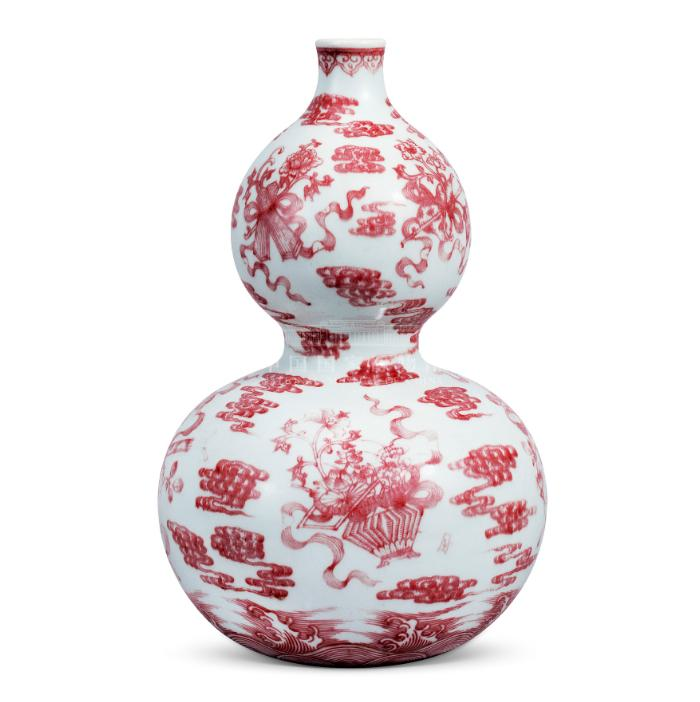
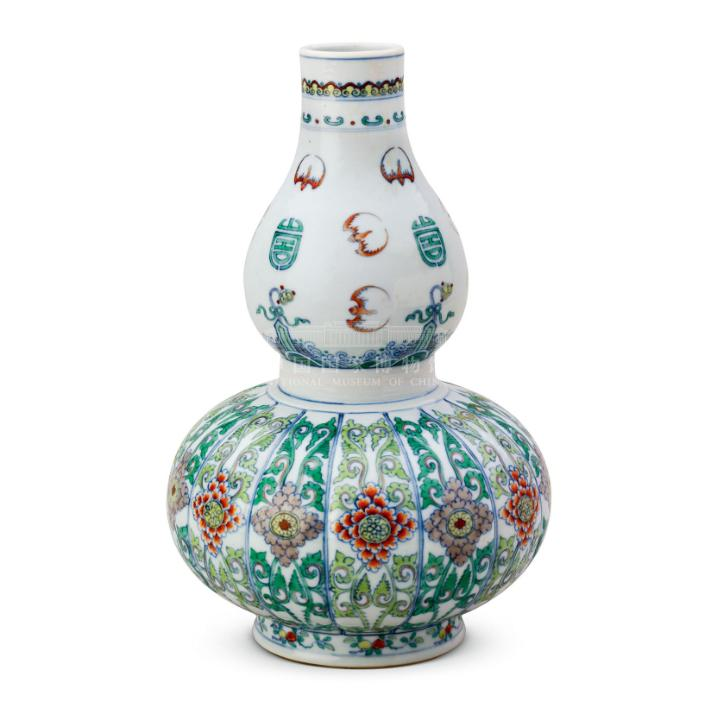
        {"type": "text",  "text":  "比较这两张图片,告诉我它们之间的差异。"},
    ],
}]

inputs = processor.apply_chat_template(
    messages,
    add_generation_prompt=True,
    tokenize=True,
    return_dict=True,
    return_tensors="pt",
).to(model.device)

out_ids = model.generate(**inputs, max_new_tokens=512)
answer = processor.decode(
    out_ids[0][inputs["input_ids"].shape[-1]:],
    skip_special_tokens=True,
)
print(answer)
示例图片
视频理解
MiniCPM-V 4.6 的视频走标准 message 流程:在 message 的 content 里放一个
{"type": "video", ...}条目,由 processor 自动解码 / 采样帧。帧预算与采样由 processor 参数控制 —— 无需手动解帧,也不需要特殊的视频后端。
安装
pip install "transformers[torch]>=5.7.0" torchvision torchcodec
CUDA 提示:
torchcodec(视频解码)对 CUDA 版本较敏感。若遇到RuntimeError: Could not load libtorchcodec,可改用 PyAV ——pip install "transformers[torch]>=5.7.0" torchvision av—— 或在装 torch 时指定匹配的 CUDA(如 CUDA 12.8):pip install "transformers>=5.7.0" torchvision torchcodec --index-url https://download.pytorch.org/whl/cu128
初始化模型
import torch
from transformers import AutoProcessor, AutoModelForImageTextToText

model_path = "openbmb/MiniCPM-V-4.6"  # 或 "openbmb/MiniCPM-V-4.6-Thinking"

processor = AutoProcessor.from_pretrained(model_path)
model = AutoModelForImageTextToText.from_pretrained(
    model_path,
    torch_dtype="auto",
    device_map="auto",
)

# 视频场景建议用 Flash Attention 2,加速并省显存
# model = AutoModelForImageTextToText.from_pretrained(
#     model_path,
#     torch_dtype=torch.bfloat16,
#     attn_implementation="flash_attention_2",
#     device_map="auto",
# )
视频对话
messages = [
    {
        "role": "user",
        "content": [
            {"type": "video", "url": "https://huggingface.co/datasets/openbmb/DemoCase/resolve/main/football.mp4"},
            {"type": "text", "text": "详细描述这段视频。按时间线展开,重点关注画面文字、界面变化、主要动作与场景切换。"},
        ],
    }
]

downsample_mode = "16x"  # 需要更精细的细节时用 "4x"

inputs = processor.apply_chat_template(
    messages, tokenize=True, add_generation_prompt=True,
    return_dict=True, return_tensors="pt",
    downsample_mode=downsample_mode,
    max_num_frames=128,
    stack_frames=1,
    max_slice_nums=1,
    use_image_id=False,
).to(model.device)

generated_ids = model.generate(**inputs, downsample_mode=downsample_mode, max_new_tokens=2048)
generated_ids_trimmed = [
    out_ids[len(in_ids):] for in_ids, out_ids in zip(inputs.input_ids, generated_ids)
]
output_text = processor.batch_decode(
    generated_ids_trimmed, skip_special_tokens=True, clean_up_tokenization_spaces=False
)
print(output_text[0])
使用本地文件时直接传路径:
{"type": "video", "url": "./assets/badminton.mp4"}
高级参数
传给 apply_chat_template(标注了 generate 的也需传给 generate):
| 参数 | 默认 | 适用 | 说明 |
|---|---|---|---|
downsample_mode | "16x" | 图像 & 视频 | 视觉 token 下采样。"16x" 合并 token 更高效;"4x" 保留 4 倍 token,细节更精细。必须同时传给 generate()。 |
max_slice_nums | 9 | 图像 & 视频 | 高分辨率图像切片的最大数量。越大保留细节越多。建议:图像 36,视频 1。 |
max_num_frames | 128 | 仅视频 | 控制时间上下文长度、避免显存溢出。短视频(时长 ≤ max_num_frames 秒):按 1 FPS 采样。长视频(> max_num_frames 秒):在全时间线上均匀采样恰好 max_num_frames 帧。 |
stack_frames | 1 | 仅视频 | 每秒采样点数量。1 = 仅主帧。N(N>1)= 每秒 1 主帧 + N−1 子帧,子帧合成为一张网格图。短视频建议 1,长视频建议 3~5。 |
use_image_id | True | 图像 & 视频 | 是否在每个图像/帧占位符前加 <image_id>N</image_id>。图像设 True,视频设 False。 |
注意:
downsample_mode必须同时传给apply_chat_template(决定占位符数量)和generate(作用于视觉编码器)。其余参数只传给apply_chat_template即可。
OCR
加载模型
import torch
from PIL import Image
from transformers import AutoProcessor, AutoModelForImageTextToText

model_path = "openbmb/MiniCPM-V-4.6"

processor = AutoProcessor.from_pretrained(model_path)
model = AutoModelForImageTextToText.from_pretrained(
    model_path,
    torch_dtype=torch.bfloat16,
    attn_implementation="sdpa",
).eval().cuda()
使用示例
ocr_image = Image.open("./assets/ocr.png").convert("RGB")

messages = [{
    "role": "user",
    "content": [
        {"type": "image", "image": ocr_image},
        {"type": "text",  "text":  "图中的文字是什么?"},
    ],
}]

inputs = processor.apply_chat_template(
    messages,
    add_generation_prompt=True,
    tokenize=True,
    return_dict=True,
    return_tensors="pt",
).to(model.device)

out_ids = model.generate(**inputs, max_new_tokens=1024)
answer = processor.decode(
    out_ids[0][inputs["input_ids"].shape[-1]:],
    skip_special_tokens=True,
)
print(answer)
示例图片

对于中文密集或文本密集的页面,Thinking checkpoint(
openbmb/MiniCPM-V-4.6-Thinking)通常能输出更忠实的转写结果,因为它会先分析版式再回答。Instruct checkpoint 速度更快,对于短文本 / 已经截好的文字图片通常已经够用。
PDF 解析
加载模型
import torch
from transformers import AutoProcessor, AutoModelForImageTextToText

model_path = "openbmb/MiniCPM-V-4.6"

processor = AutoProcessor.from_pretrained(model_path)
model = AutoModelForImageTextToText.from_pretrained(
    model_path,
    torch_dtype=torch.bfloat16,
    attn_implementation="sdpa",
).eval().cuda()
PDF → 图片
# 需要安装 poppler-utils:
#   sudo apt-get update && sudo apt-get install poppler-utils
from pdf2image import convert_from_path


def pdf_to_images(pdf_path: str, dpi: int = 200):
    images = convert_from_path(pdf_path, dpi=dpi)
    return [image.convert("RGB") for image in images]
使用示例
prompt = """
You are an OCR assistant. Your task is to identify and extract all visible text from the image provided. Preserve the original formatting as closely as possible, including:

- Line breaks and paragraphs
- Headings and subheadings
- Any tables, lists, bullet points, or numbered items
- Special characters, spacing, and alignment

Output strictly the extracted text in Markdown format, reflecting the layout and structure of the original image. Do not add commentary, interpretation, or summarization—only return the raw text content with its formatting.
"""

images = pdf_to_images("assets/parse.pdf")

content = [{"type": "image", "image": img} for img in images]
content.insert(0, {"type": "text", "text": prompt})

messages = [{"role": "user", "content": content}]

inputs = processor.apply_chat_template(
    messages,
    add_generation_prompt=True,
    tokenize=True,
    return_dict=True,
    return_tensors="pt",
).to(model.device)

out_ids = model.generate(**inputs, max_new_tokens=4096)
answer = processor.decode(
    out_ids[0][inputs["input_ids"].shape[-1]:],
    skip_special_tokens=True,
)
print(answer)
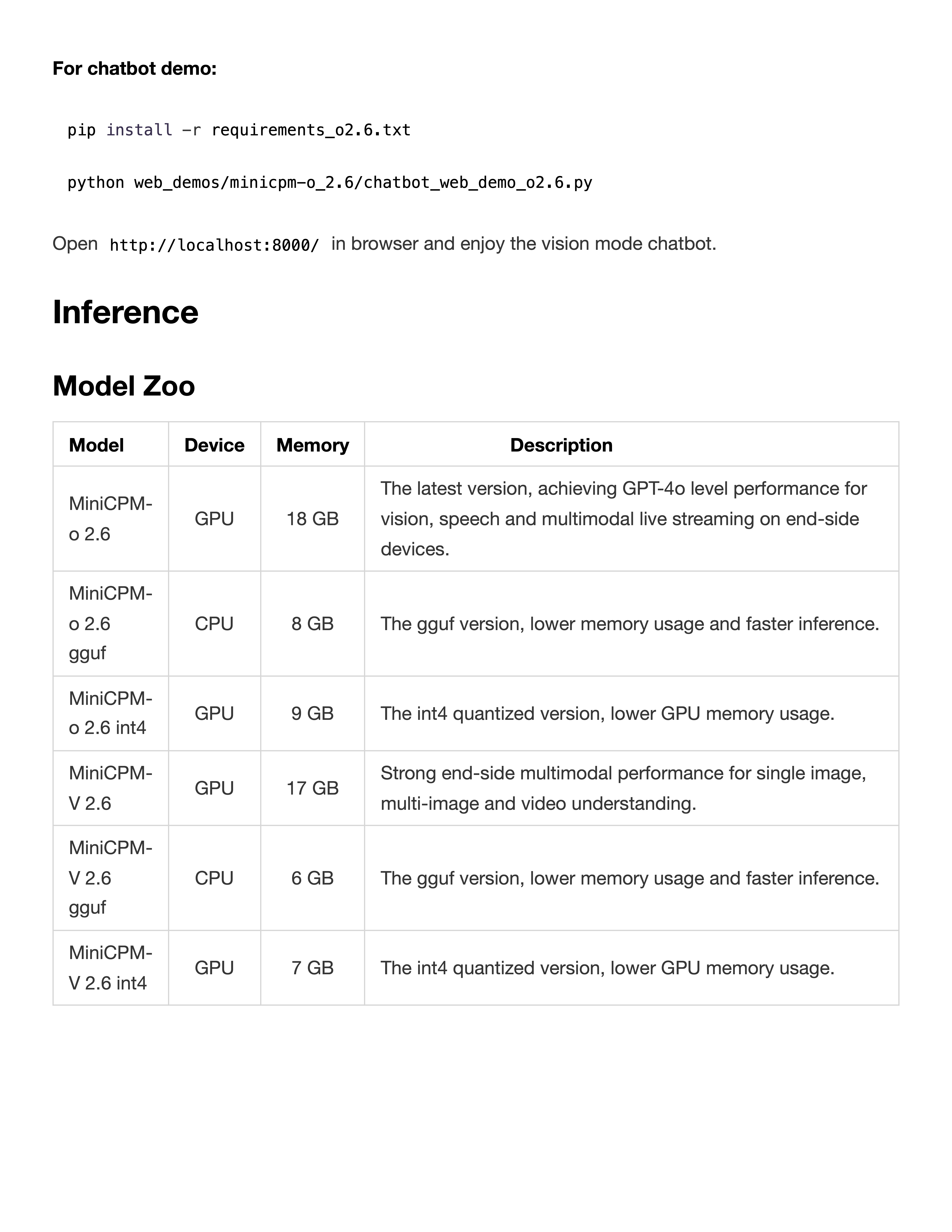
示例 PDF
视觉定位
示例代码
import re
import torch
from PIL import Image, ImageDraw
from transformers import AutoProcessor, AutoModelForImageTextToText


def setup_model_and_processor(model_path: str):
    processor = AutoProcessor.from_pretrained(model_path)
    model = AutoModelForImageTextToText.from_pretrained(
        model_path,
        torch_dtype=torch.bfloat16,
        attn_implementation="sdpa",
    ).eval().cuda()
    return model, processor


def extract_bbox_from_response(response: str):
    match = re.search(r"<box>([\d\s]+)</box>", response)
    if not match:
        raise ValueError("Can't find bbox in response")
    return list(map(int, match.group(1).strip().split()))


def draw_bbox_on_image(image: Image.Image, bbox):
    w, h = image.size
    x1 = int(bbox[0] / 1000 * w)
    y1 = int(bbox[1] / 1000 * h)
    x2 = int(bbox[2] / 1000 * w)
    y2 = int(bbox[3] / 1000 * h)
    draw = ImageDraw.Draw(image)
    draw.rectangle([x1, y1, x2, y2], outline="red", width=4)
    return image


def model_infer_and_draw(img_path, question, model, processor):
    image = Image.open(img_path).convert("RGB")
    messages = [{
        "role": "user",
        "content": [
            {"type": "image", "image": image},
            {"type": "text",  "text":  question},
        ],
    }]

    inputs = processor.apply_chat_template(
        messages,
        add_generation_prompt=True,
        tokenize=True,
        return_dict=True,
        return_tensors="pt",
    ).to(model.device)

    with torch.inference_mode():
        out_ids = model.generate(**inputs, max_new_tokens=1024)

    response = processor.decode(
        out_ids[0][inputs["input_ids"].shape[-1]:],
        skip_special_tokens=True,
    )
    print("模型输出:", response)

    bbox = extract_bbox_from_response(response)
    return response, bbox, draw_bbox_on_image(image, bbox)


model_path = "openbmb/MiniCPM-V-4.6"
img_path = "./assets/airplane.jpeg"
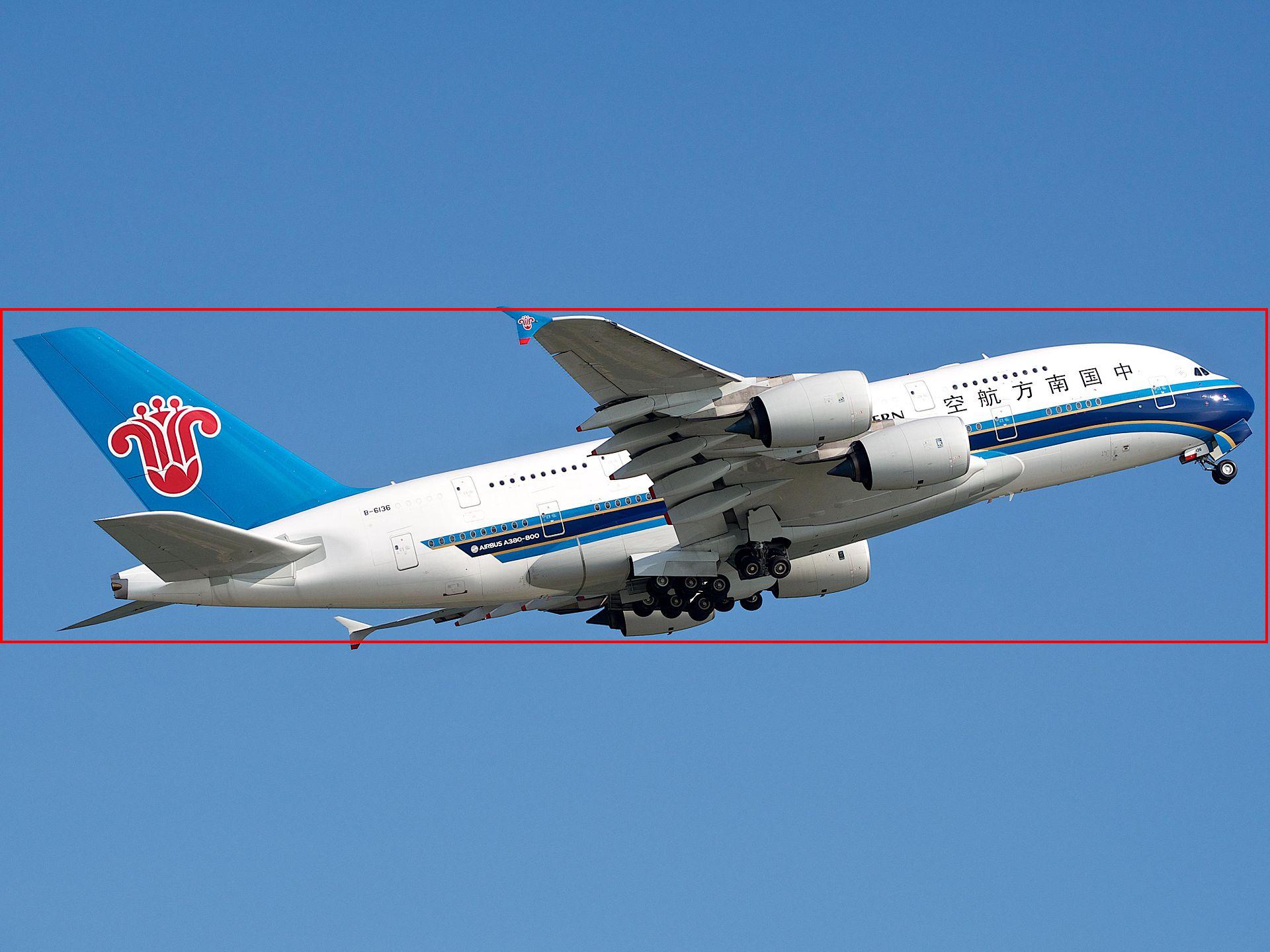
question = "Please provide the bounding box coordinate of the region this sentence describes: <ref>airplane</ref>"

model, processor = setup_model_and_processor(model_path)
response, bbox, image_with_box = model_infer_and_draw(img_path, question, model, processor)
image_with_box.save("./assets/airplane_grounding.jpeg")
效果展示
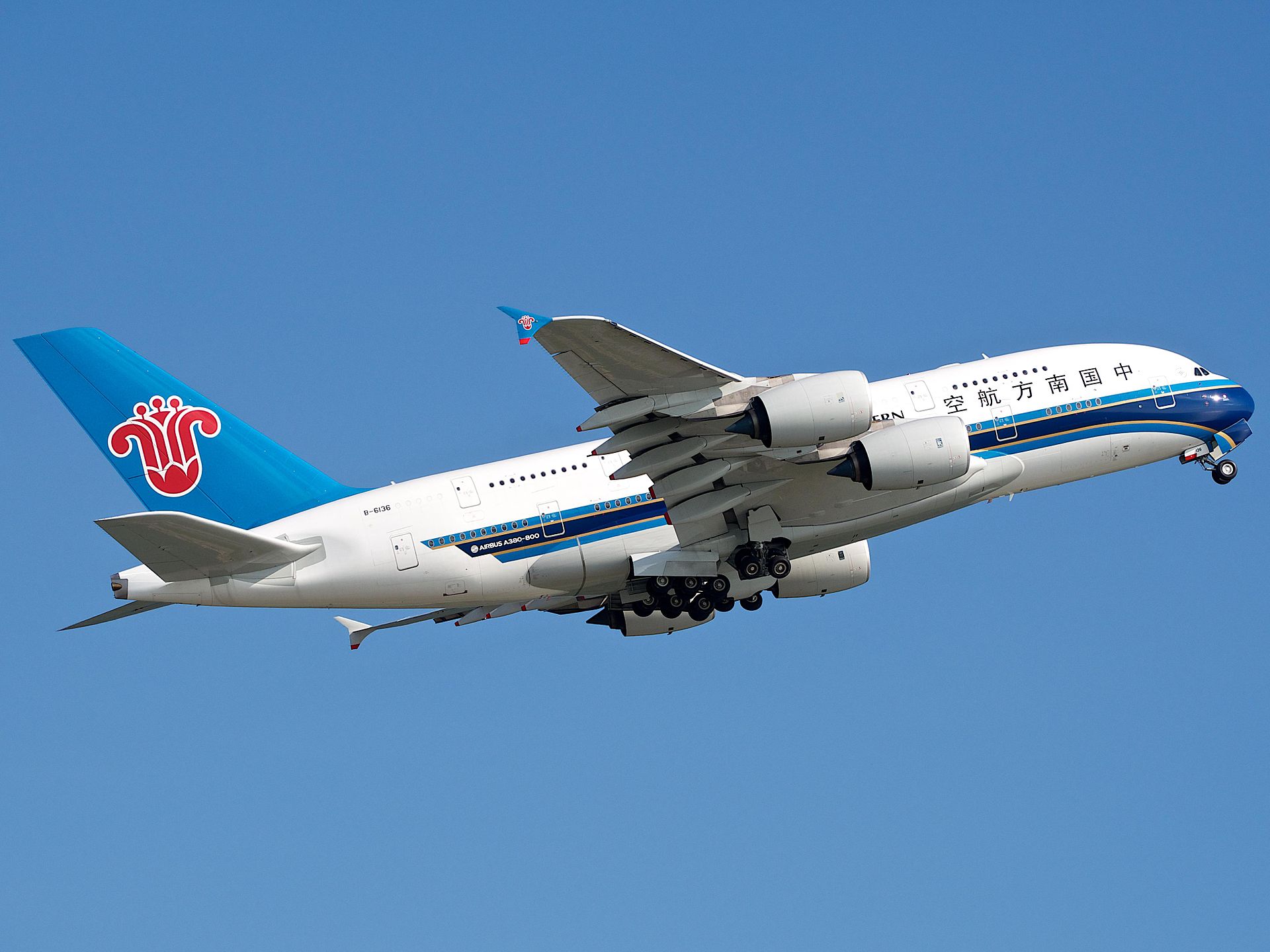
飞机
原图:
定位后:
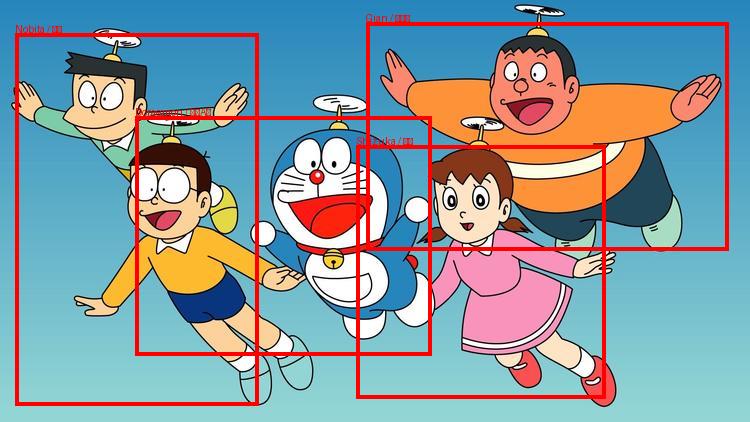
多目标
多目标定位时,让模型直接返回 JSON 而不是 <box>,再相应解析:
import json
import re
import torch
from PIL import Image, ImageDraw
from transformers import AutoProcessor, AutoModelForImageTextToText


def extract_bboxes_from_json_response(response: str):
    response_json = json.loads(response)
    bboxes, names = [], []
    for item in response_json:
        bbox_str = re.sub(r"</?box>", "", item.get("box", "")).strip()
        bboxes.append(list(map(int, bbox_str.split())))
        names.append((item.get("name_en", ""), item.get("name_zh", "")))
    return bboxes, names


def draw_multiple_bboxes(image: Image.Image, bboxes, names):
    w, h = image.size
    draw = ImageDraw.Draw(image)
    for (x1, y1, x2, y2), (en, zh) in zip(bboxes, names):
        x1 = int(x1 / 1000 * w); y1 = int(y1 / 1000 * h)
        x2 = int(x2 / 1000 * w); y2 = int(y2 / 1000 * h)
        draw.rectangle([x1, y1, x2, y2], outline="red", width=4)
        draw.text((x1, y1 - 10), f"{en} / {zh}", fill="red")
    return image


model_path = "openbmb/MiniCPM-V-4.6"
img_path = "./assets/doraemon.jpg"
question = (
    "Identify all characters in the image and return their bounding boxes "
    "and English name and Chinese name in JSON format, "
    'a list of {"name_en": "Doraemon", "name_zh": "哆啦A梦", "box": "x1 y1 x2 y2"}'
)

processor = AutoProcessor.from_pretrained(model_path)
model = AutoModelForImageTextToText.from_pretrained(
    model_path, torch_dtype=torch.bfloat16, attn_implementation="sdpa",
).eval().cuda()

image = Image.open(img_path).convert("RGB")
messages = [{
    "role": "user",
    "content": [
        {"type": "image", "image": image},
        {"type": "text",  "text":  question},
    ],
}]
inputs = processor.apply_chat_template(
    messages, add_generation_prompt=True, tokenize=True,
    return_dict=True, return_tensors="pt",
).to(model.device)

with torch.inference_mode():
    out_ids = model.generate(**inputs, max_new_tokens=1024)

response = processor.decode(
    out_ids[0][inputs["input_ids"].shape[-1]:], skip_special_tokens=True
)
bboxes, names = extract_bboxes_from_json_response(response)
draw_multiple_bboxes(image, bboxes, names).save("./assets/doraemon_multi_grounding.jpg")
原图:

定位后: